
说明
转到末尾下载完整示例代码。
使用 mne.viz.Brain 绘图#
本示例展示如何使用 mne.viz.Brain。
# Author: Alex Rockhill <aprockhill@mailbox.org>
#
# License: BSD-3-Clause
# Copyright the MNE-Python contributors.
加载数据#
本示例使用示例数据(一名受试者接受听觉与视觉刺激的记录),展示 mne.viz.Brain 在大脑上绘制数据的功能。
import matplotlib.pyplot as plt
import numpy as np
from matplotlib.cm import ScalarMappable
from matplotlib.colors import Normalize

import mne
from mne.datasets import sample

print(__doc__)

data_path = sample.data_path()
subjects_dir = data_path / "subjects"
sample_dir = data_path / "MEG" / "sample"
添加源信息#
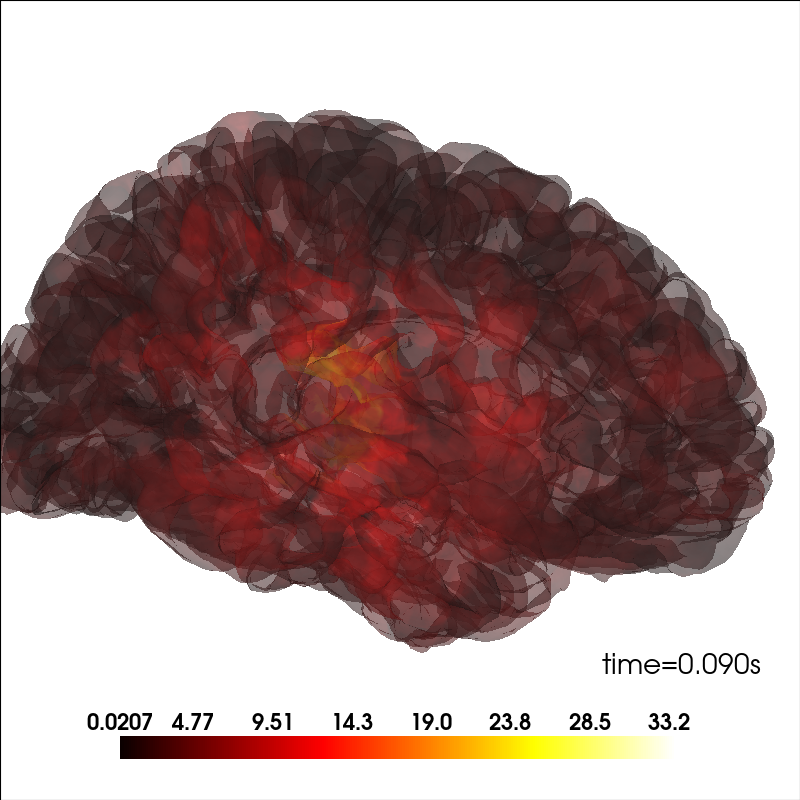
绘制源信息。
brain_kwargs = dict(alpha=0.1, background="white", cortex="low_contrast")
brain = mne.viz.Brain("sample", subjects_dir=subjects_dir, **brain_kwargs)

stc = mne.read_source_estimate(sample_dir / "sample_audvis-meg")
stc.crop(0.09, 0.1)

kwargs = dict(
    fmin=stc.data.min(),
    fmax=stc.data.max(),
    alpha=0.25,
    smoothing_steps="nearest",
    time=stc.times,
)
brain.add_data(stc.lh_data, hemi="lh", vertices=stc.lh_vertno, **kwargs)
brain.add_data(stc.rh_data, hemi="rh", vertices=stc.rh_vertno, **kwargs)
调整大脑视图#
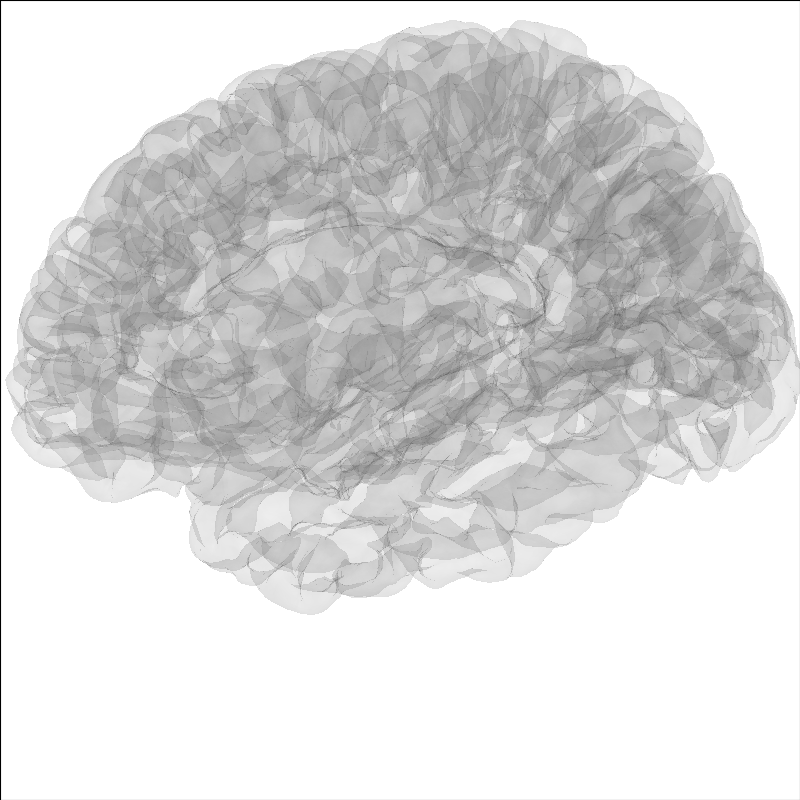
可以用 show_view 方法调整大脑视图。
brain = mne.viz.Brain("sample", subjects_dir=subjects_dir, **brain_kwargs)
brain.show_view(azimuth=190, elevation=70, distance=350, focalpoint=(0, 0, 20))
高亮大脑中的某个区域#
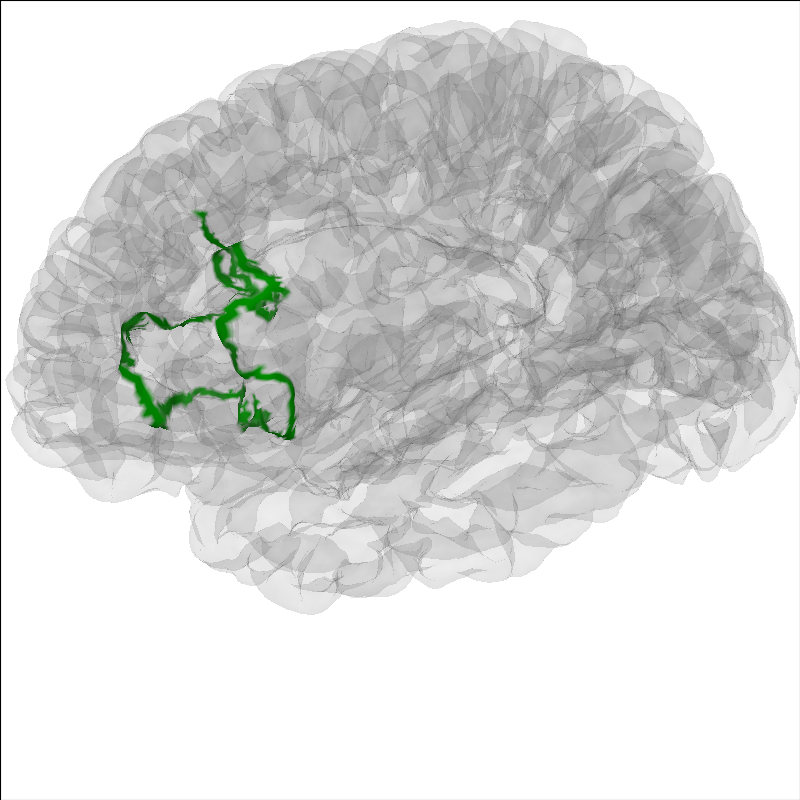
在分析中高亮大脑的某个区域很有用。可用 add_label 方法高亮区域。标签存放在该受试者 recon-all 生成的 FreeSurfer 标签目录中,也可按 FreeSurfer 说明自行制作。这里展示 Brodmann 44 区。
说明
MNE 示例数据集只包含 recon-all 过程中创建的 FreeSurfer 标签的一个子集。
brain = mne.viz.Brain("sample", subjects_dir=subjects_dir, **brain_kwargs)
brain.add_label("BA44", hemi="lh", color="green", borders=True)
brain.show_view(azimuth=190, elevation=70, distance=350, focalpoint=(0, 0, 20))
在图像中包含头部#
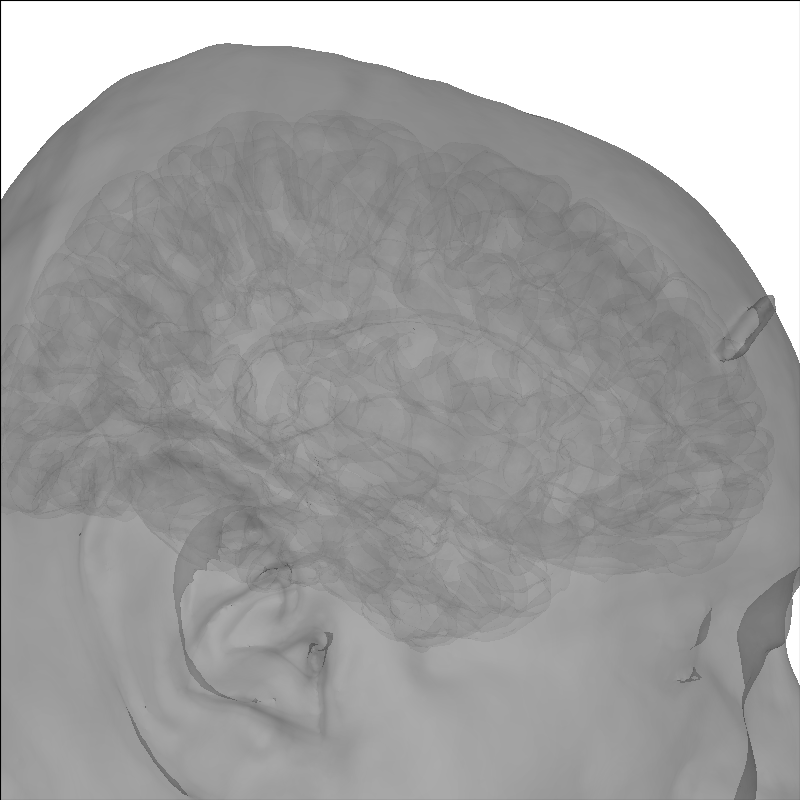
使用 add_head 方法添加头部图像。
brain = mne.viz.Brain("sample", subjects_dir=subjects_dir, **brain_kwargs)
brain.add_head(alpha=0.5)
Using lh.seghead for head surface.
添加传感器位置#
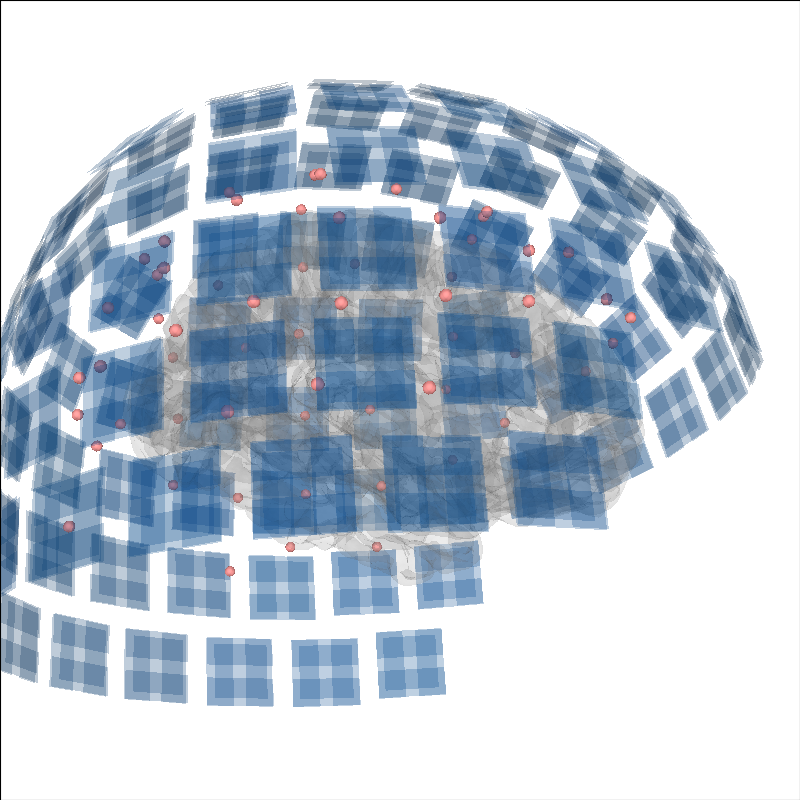
为说明源时间过程的来源,也可以显示传感器位置。
brain = mne.viz.Brain("sample", subjects_dir=subjects_dir, **brain_kwargs)
evoked = mne.read_evokeds(sample_dir / "sample_audvis-ave.fif")[0]
trans = mne.read_trans(sample_dir / "sample_audvis_raw-trans.fif")
brain.add_sensors(evoked.info, trans)
brain.show_view(distance=500)  # move back to show sensors
Reading /home/circleci/mne_data/MNE-sample-data/MEG/sample/sample_audvis-ave.fif ...
    Read a total of 4 projection items:
        PCA-v1 (1 x 10²) active
        PCA-v2 (1 x 10²) active
        PCA-v3 (1 x 10²) active
        Average EEG reference (1 x 60) active
    Found the data of interest:
        t =    -199.80 ...     499.49 ms (Left Auditory)
        0 CTF compensation matrices available
        nave = 55 - aspect type = 100
Projections have already been applied. Setting proj attribute to True.
No baseline correction applied
    Read a total of 4 projection items:
        PCA-v1 (1 x 10²) active
        PCA-v2 (1 x 10²) active
        PCA-v3 (1 x 10²) active
        Average EEG reference (1 x 60) active
    Found the data of interest:
        t =    -199.80 ...     499.49 ms (Right Auditory)
        0 CTF compensation matrices available
        nave = 61 - aspect type = 100
Projections have already been applied. Setting proj attribute to True.
No baseline correction applied
    Read a total of 4 projection items:
        PCA-v1 (1 x 10²) active
        PCA-v2 (1 x 10²) active
        PCA-v3 (1 x 10²) active
        Average EEG reference (1 x 60) active
    Found the data of interest:
        t =    -199.80 ...     499.49 ms (Left visual)
        0 CTF compensation matrices available
        nave = 67 - aspect type = 100
Projections have already been applied. Setting proj attribute to True.
No baseline correction applied
    Read a total of 4 projection items:
        PCA-v1 (1 x 10²) active
        PCA-v2 (1 x 10²) active
        PCA-v3 (1 x 10²) active
        Average EEG reference (1 x 60) active
    Found the data of interest:
        t =    -199.80 ...     499.49 ms (Right visual)
        0 CTF compensation matrices available
        nave = 58 - aspect type = 100
Projections have already been applied. Setting proj attribute to True.
No baseline correction applied
Channel types:: grad: 203, mag: 102, eeg: 59
Getting helmet for system 306m
添加电流偶极子#
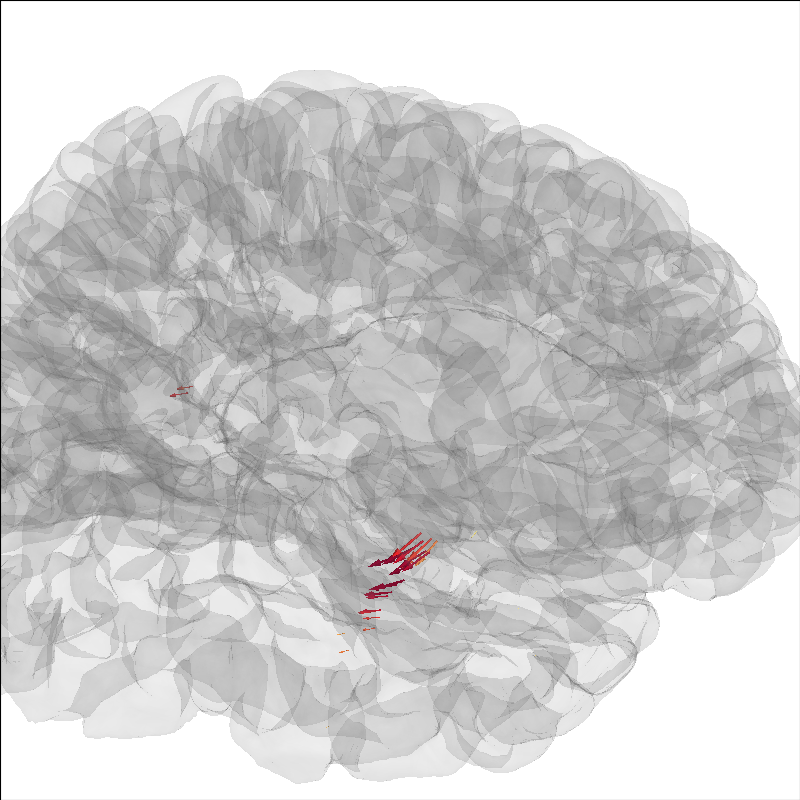
也可以把偶极子建模结果(参见 偶极子方向在分布式源定位中的作用)绘制在大脑上。
brain = mne.viz.Brain("sample", subjects_dir=subjects_dir, **brain_kwargs)
dip = mne.read_dipole(sample_dir / "sample_audvis_set1.dip")
cmap = plt.colormaps["YlOrRd"]
colors = [cmap(gof / dip.gof.max()) for gof in dip.gof]
brain.add_dipole(dip, trans, colors=colors, scales=list(dip.amplitude * 1e8))
brain.show_view(azimuth=-20, elevation=60, distance=300)
img = brain.screenshot()  # for next section
34 dipole(s) found
创建用于导出大脑图像的截图#
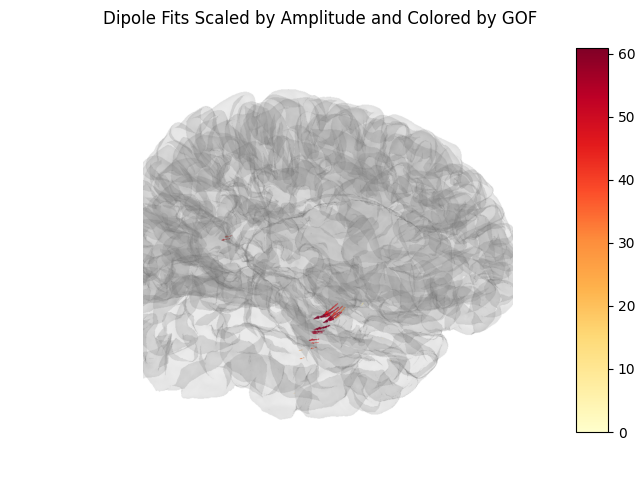
此外,可用 screenshot 获取大脑的静态图像(见上),从而添加色条;这对论文插图很有用。
fig, ax = plt.subplots()
ax.imshow(img)
ax.axis("off")
cax = fig.add_axes([0.9, 0.1, 0.05, 0.8])
norm = Normalize(vmin=0, vmax=dip.gof.max())
fig.colorbar(ScalarMappable(norm=norm, cmap=cmap), cax=cax)
fig.suptitle("Dipole Fits Scaled by Amplitude and Colored by GOF")
通过 Brain.layered_meshes 更新叠加层#
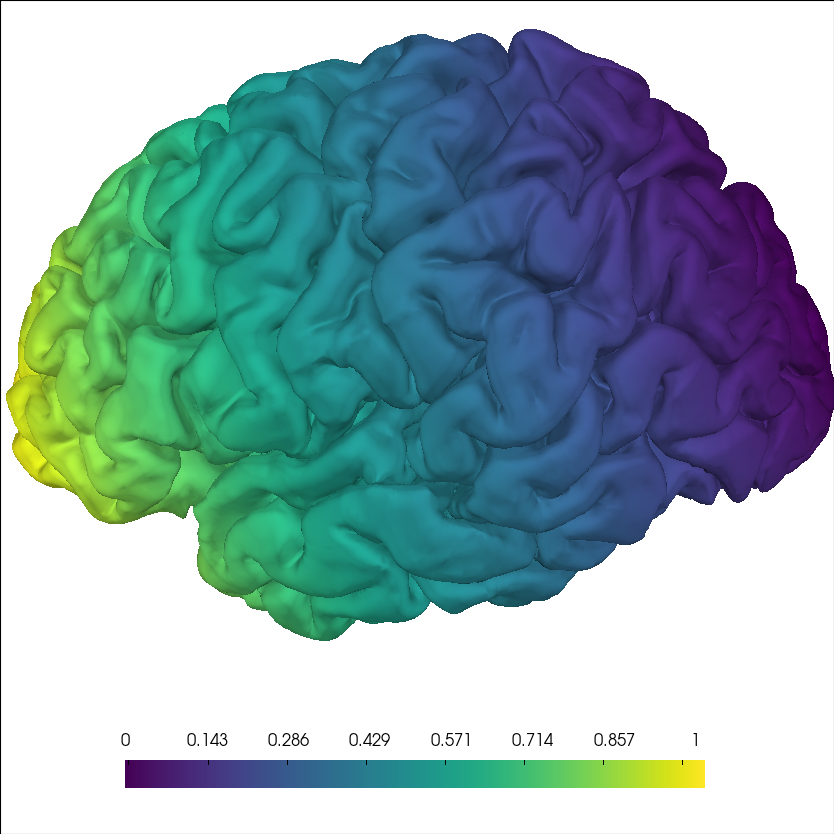
调用 add_data() 后,每个半球的表面由存放在 brain.layered_meshes 中的 LayeredMesh 支撑。调用 update_overlay() 可在不重建完整渲染管线的情况下推送新的标量数据——这对需要把源空间数据实时流式绘制到大脑的包(如 MNE-RT)是关键操作。
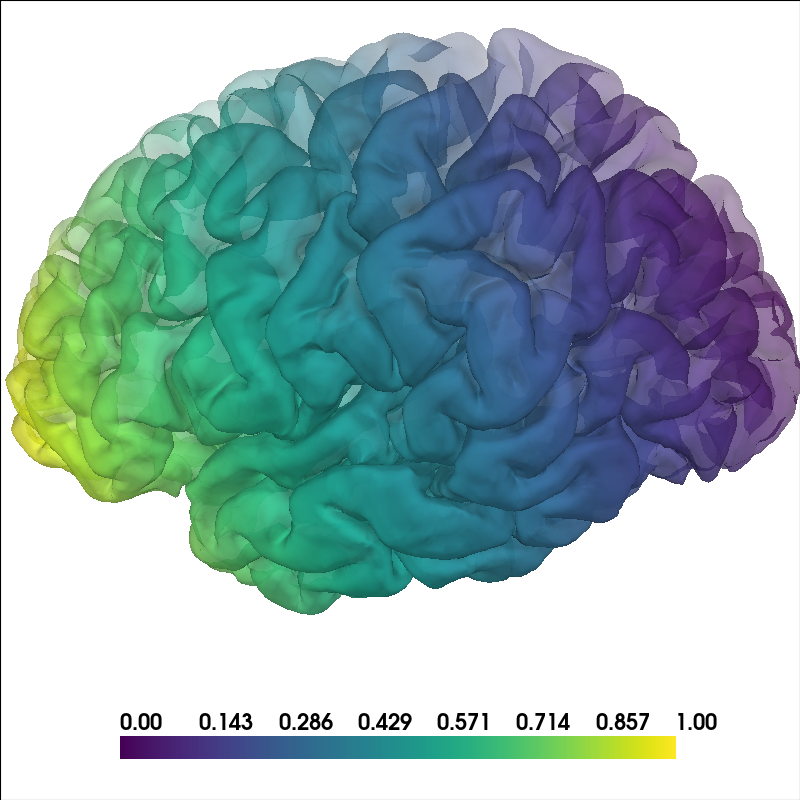
这里先添加一个自下而上的梯度作为第一帧数据。
brain = mne.viz.Brain("sample", subjects_dir=subjects_dir, hemi="lh", **brain_kwargs)
coords = brain.geo["lh"].coords
data_t0 = coords[:, 2]
data_t0 = (data_t0 - data_t0.min()) / (data_t0.max() - data_t0.min())
brain.add_data(
    data_t0, hemi="lh", fmin=0, fmax=1, colormap="viridis", smoothing_steps=5
)
brain.show_view(azimuth=190, elevation=70, distance=350, focalpoint=(0, 0, 20))
模拟新数据帧到达:对同一个 brain 调用 update_overlay(),就地替换标量——无需新建网格、新建 actor 或重建管线。
# we create a new brain here for comparison purposes
brain_update = mne.viz.Brain(
    "sample", subjects_dir=subjects_dir, hemi="lh", **brain_kwargs
)
brain_update.add_data(
    data_t0, hemi="lh", fmin=0, fmax=1, colormap="viridis", smoothing_steps=5
)
brain_update.show_view(azimuth=190, elevation=70, distance=350, focalpoint=(0, 0, 20))
data_t1 = coords[:, 1]
data_t1 = (data_t1 - data_t1.min()) / (data_t1.max() - data_t1.min())
mesh = brain_update.layered_meshes["lh"]
mesh.update_overlay(name="data", scalars=data_t1)
mesh.update()
对分布式数据使用逐顶点不透明度#
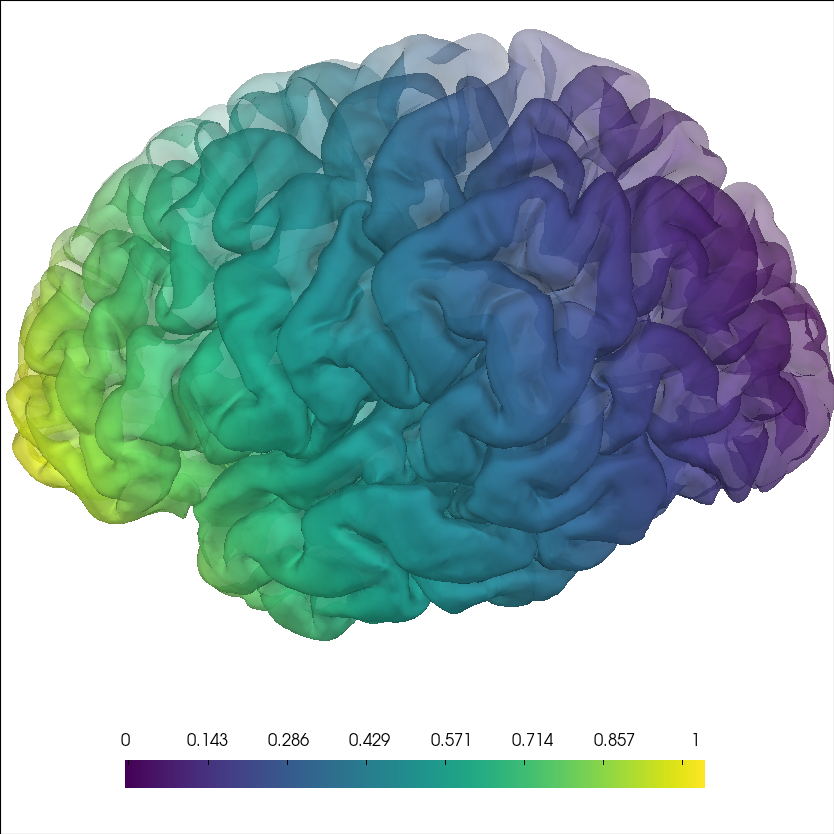
可以给 mne.viz.Brain.add_data() 的 alpha 传入数组,以逐顶点控制透明度。这有助于突出部分顶点,同时保留周围背景。
brain = mne.viz.Brain("sample", subjects_dir=subjects_dir, hemi="lh", **brain_kwargs)
coords = brain.geo["lh"].coords
n_vertices = len(coords)

# Build synthetic data: a smooth left-to-right gradient color-wise in the Y
# (front-back) direction, plus a matching opacity ramp from mostly transparent to
# fully opaque in the X (left-right) direction.
data = coords[:, 1]
data = (data - data.min()) / (data.max() - data.min())
vertex_alpha = -coords[:, 0]
vertex_alpha = (vertex_alpha - vertex_alpha.min()) / (
    vertex_alpha.max() - vertex_alpha.min()
)

brain.add_data(
    data,
    hemi="lh",
    alpha=vertex_alpha,
    colormap="viridis",
    smoothing_steps=5,
)
brain.show_view(azimuth=190, elevation=70, distance=350, focalpoint=(0, 0, 20))
同时合成两个叠加层#
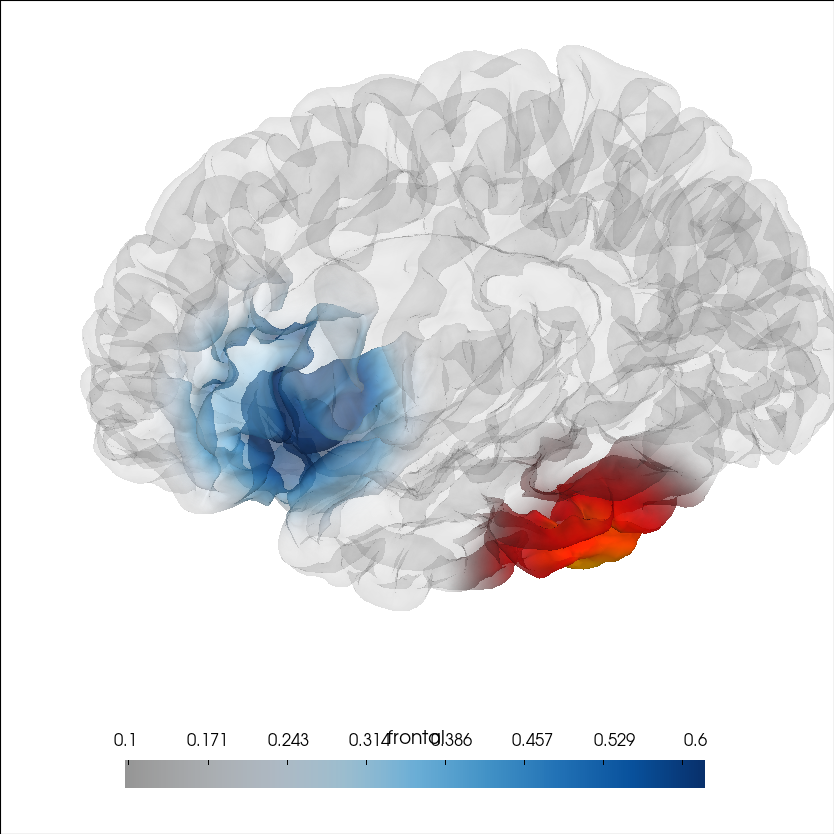
传入 remove_existing=False 与不同的 key,即可在添加第二个叠加层时保留第一个可见。两个层由 LayeredMesh 做 alpha 合成,因此两组数据会同时显示。
这里模拟两个在不同脑区随时间演变的局灶活动斑块:一个颞叶源(红/热色)较早达峰,一个额叶源(蓝色)较晚达峰。在交互查看器的 Color Limits 面板中会出现 “Overlay” 下拉菜单——用它切换滑块所控制的叠加层及其平滑设置。
brain = mne.viz.Brain(
    "sample",
    subjects_dir=subjects_dir,
    hemi="lh",
    alpha=0.1,
    background="white",
    cortex="low_contrast",
)
coords = brain.geo["lh"].coords  # vertex positions in mm


def gaussian_patch(coords, center, sigma=15.0):
    """Gaussian blob of activity centred on a surface coordinate (mm)."""
    d = np.linalg.norm(coords - center, axis=1)
    return np.exp(-(d**2) / (2 * sigma**2))


temporal = gaussian_patch(coords, center=np.array([-52.0, -18.0, -8.0]))
brain.add_data(
    temporal,
    hemi="lh",
    fmin=0.1,
    fmax=1.5,
    colormap="hot",
    transparent=True,
    key="temporal",
    smoothing_steps=5,
)

frontal = gaussian_patch(coords, center=np.array([-38.0, 28.0, 46.0]))
brain.add_data(
    frontal,
    hemi="lh",
    fmin=0.1,
    fmax=0.6,
    colormap="Blues",
    transparent=True,
    alpha=0.5,
    key="frontal",
    remove_existing=False,
    smoothing_steps=5,
)
brain.show_view(azimuth=180, elevation=70, distance=380, focalpoint=(0, 10, 20))
脚本总运行时间:(1 分 3.993 秒)