
说明
转到末尾下载完整示例代码。
使用事件系统联动图表#
MNE-Python 的许多图表都是交互式的。例如,你可以选择通道或沿时间轴滚动。事件系统允许将图表彼此联动,从而在与一个图表交互时同步更新另一个图表。
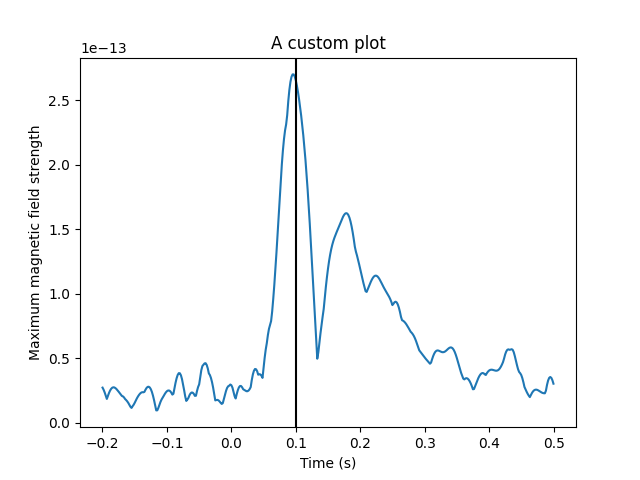
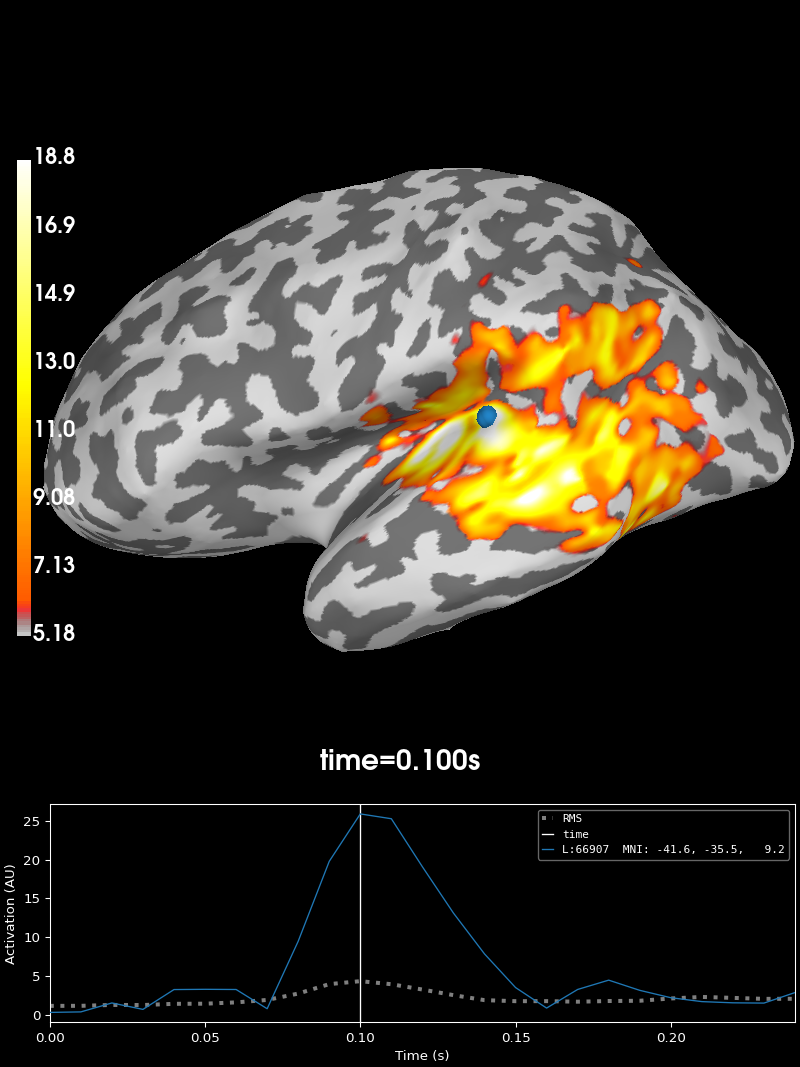
在本示例中,我们将把地形图与源估计图联动起来,使得在一个图中选择时间时,另一个图中的时间也会更新;同时还会将我们自己的自定义绘图接入 MNE-Python 的事件系统。
由于我们网站上的图表不具备交互功能,本示例只有在交互式环境中运行才能正常工作。
# Author: Marijn van Vliet <w.m.vanvliet@gmail.com>
#
# License: BSD-3-Clause
# Copyright the MNE-Python contributors.

import matplotlib.pyplot as plt

import mne
from mne.viz.ui_events import TimeChange, link, publish, subscribe

# Turn on interactivity
plt.ion()
联动交互式图表#
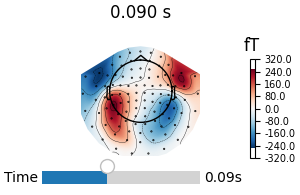
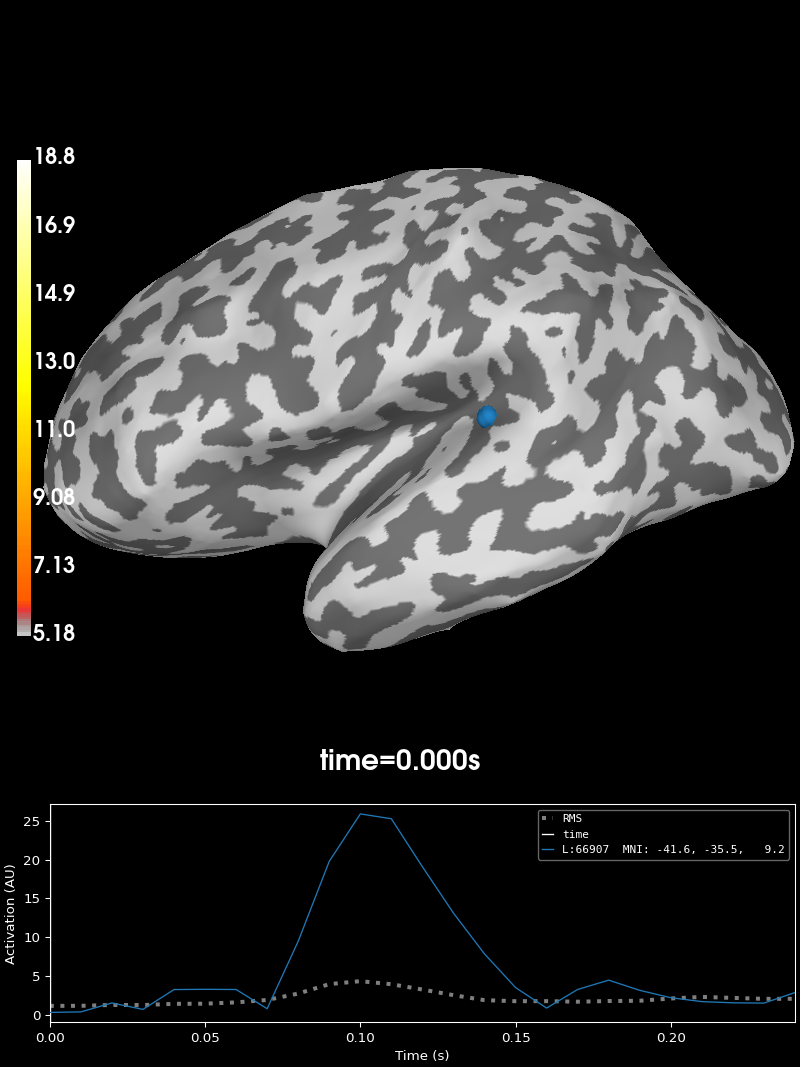
我们加载 MNE-Sample 数据集的传感器级和源级数据,并创建两个带有滑块、用于控制所显示时间点的图表。默认情况下,两个图表相互独立,但我们会将两个图表的事件通道连接起来,这样移动一个图表中的滑块时,另一个图表中的滑块也会随之移动。
data_path = mne.datasets.sample.data_path()
evokeds_fname = data_path / "MEG" / "sample" / "sample_audvis-ave.fif"
evokeds = mne.read_evokeds(evokeds_fname)
for ev in evokeds:
    ev.apply_baseline()
avg_evokeds = mne.combine_evoked(evokeds, "nave")
fig1 = avg_evokeds.plot_topomap("interactive")

stc_fname = data_path / "MEG" / "sample" / "sample_audvis-meg-eeg"
stc = mne.read_source_estimate(stc_fname)
fig2 = stc.plot("sample", subjects_dir=data_path / "subjects")

link(fig1, fig2)  # link the event channels
Reading /home/circleci/mne_data/MNE-sample-data/MEG/sample/sample_audvis-ave.fif ...
    Read a total of 4 projection items:
        PCA-v1 (1 x 10²) active
        PCA-v2 (1 x 10²) active
        PCA-v3 (1 x 10²) active
        Average EEG reference (1 x 60) active
    Found the data of interest:
        t =    -199.80 ...     499.49 ms (Left Auditory)
        0 CTF compensation matrices available
        nave = 55 - aspect type = 100
Projections have already been applied. Setting proj attribute to True.
No baseline correction applied
    Read a total of 4 projection items:
        PCA-v1 (1 x 10²) active
        PCA-v2 (1 x 10²) active
        PCA-v3 (1 x 10²) active
        Average EEG reference (1 x 60) active
    Found the data of interest:
        t =    -199.80 ...     499.49 ms (Right Auditory)
        0 CTF compensation matrices available
        nave = 61 - aspect type = 100
Projections have already been applied. Setting proj attribute to True.
No baseline correction applied
    Read a total of 4 projection items:
        PCA-v1 (1 x 10²) active
        PCA-v2 (1 x 10²) active
        PCA-v3 (1 x 10²) active
        Average EEG reference (1 x 60) active
    Found the data of interest:
        t =    -199.80 ...     499.49 ms (Left visual)
        0 CTF compensation matrices available
        nave = 67 - aspect type = 100
Projections have already been applied. Setting proj attribute to True.
No baseline correction applied
    Read a total of 4 projection items:
        PCA-v1 (1 x 10²) active
        PCA-v2 (1 x 10²) active
        PCA-v3 (1 x 10²) active
        Average EEG reference (1 x 60) active
    Found the data of interest:
        t =    -199.80 ...     499.49 ms (Right visual)
        0 CTF compensation matrices available
        nave = 58 - aspect type = 100
Projections have already been applied. Setting proj attribute to True.
No baseline correction applied
Applying baseline correction (mode: mean)
Applying baseline correction (mode: mean)
Applying baseline correction (mode: mean)
Applying baseline correction (mode: mean)
Using control points [ 5.17909658  6.18448887 18.83197989]
将一个图表叠加到另一个图表上#
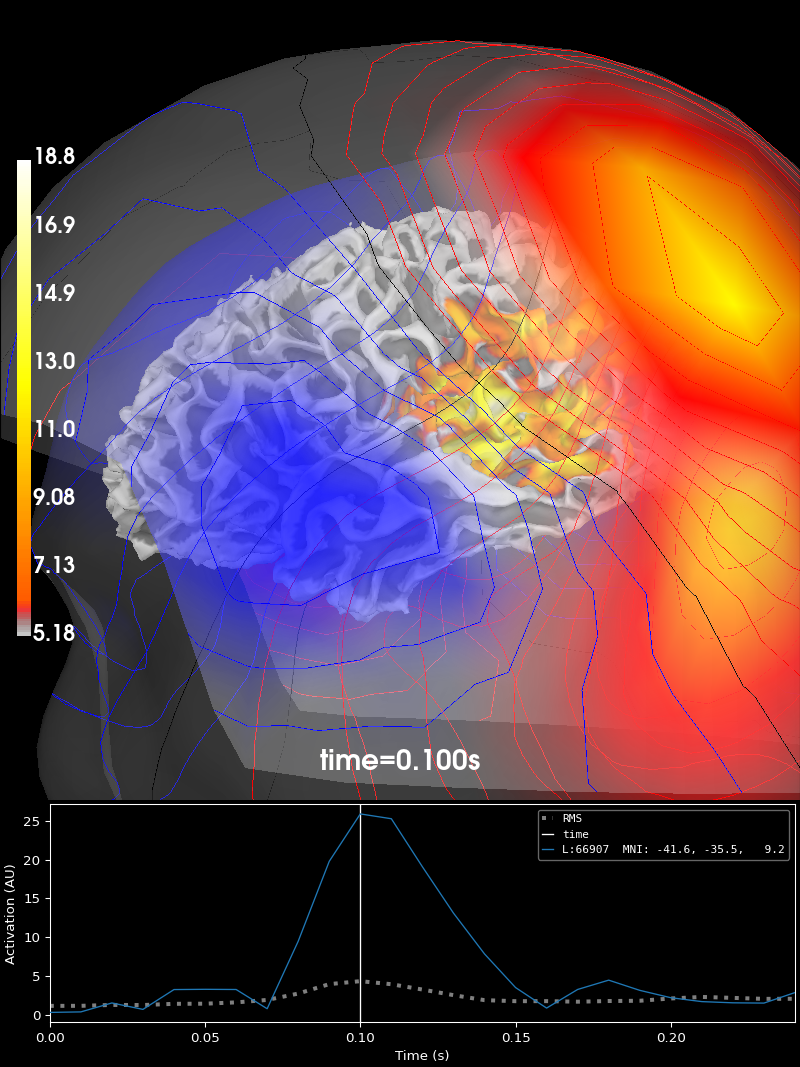
UI 事件系统发挥作用的常见场景之一,是在同一图表中绘制多个内容。例如,如果要在源估计之上绘制磁场线,我们可以将 UI 事件通道连接起来,这样当选择不同的时间时,源估计和磁场线会一起更新。
fig_brain = stc.plot("sample", subjects_dir=data_path / "subjects", surface="white")
fig_brain.show_view(distance=400)  # zoom out a little

field_map = mne.make_field_map(
    avg_evokeds,
    trans=data_path / "MEG" / "sample" / "sample_audvis_raw-trans.fif",
    subject="sample",
    subjects_dir=data_path / "subjects",
    origin="auto",
)
fig_field = mne.viz.plot_evoked_field(
    avg_evokeds,
    field_map,
    alpha=0.2,
    fig=fig_brain,  # plot inside the existing source estimate figure
    time_label=None,  # there is already a time label in the figure
)

link(fig_brain, fig_field)
fig_brain.set_time(0.1)  # updates both source estimate and field lines
Using control points [ 5.17909658  6.18448887 18.83197989]
Using surface from /home/circleci/mne_data/MNE-sample-data/subjects/sample/bem/sample-5120-5120-5120-bem.fif.
Getting helmet for system 306m
    Automatic origin fit: head of radius 91.2 mm
Prepare EEG mapping...
Computing dot products for 59 electrodes...
Computing dot products for 2562 surface locations...
Field mapping data ready
    Preparing the mapping matrix...
    Truncating at 25/59 components to omit less than 0.001 (0.00096)
    The map has an average electrode reference (2562 channels)
    Automatic origin fit: head of radius 91.2 mm
Prepare MEG mapping...
Computing dot products for 305 coils...
Computing dot products for 304 surface locations...
Field mapping data ready
    Preparing the mapping matrix...
    Truncating at 85/305 components to omit less than 0.0001 (9.4e-05)
将自定义绘图接入事件系统#
在 MNE-Python 中,每个图表都有一个关联的事件通道。绘图例程可以在通道上发布事件,并通过订阅该通道来接收事件。订阅通道上的事件时,需要指定一个回调函数;每当某个绘图例程在该事件通道上发布该事件时,就会调用这个回调函数。
这些事件仿照 matplotlib 的事件系统建模。每个事件都有一个字符串名称(其类名转换为 snake_case 后的形式)和一个相关值列表。例如,time_change 事件应以新时间作为值。值可以是任意 Python 对象。发布事件时,发布者会创建该事件类的新实例。订阅事件时,查找并导入正确的类有些麻烦。遵循 matplotlib 的做法,订阅者使用事件的字符串名称来引用它。
下面,我们创建一个自定义绘图,然后让它发布和订阅 TimeChange 事件,从而能与之前创建的图表协同工作。
# Recreate the earlier plots
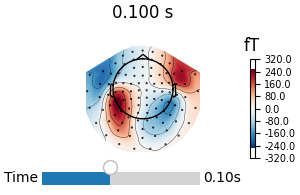
fig3 = avg_evokeds.plot_topomap("interactive")
fig4 = stc.plot("sample", subjects_dir=data_path / "subjects")

# Create a custom plot
fig5, ax = plt.subplots()
ax.plot(avg_evokeds.times, avg_evokeds.pick("mag").data.max(axis=0))
time_bar = ax.axvline(0, color="black")  # Our time slider
ax.set_xlabel("Time (s)")
ax.set_ylabel("Maximum magnetic field strength")
ax.set_title("A custom plot")


def on_motion_notify(mpl_event):
    """Respond to matplotlib's mouse event.

    Publishes an MNE-Python TimeChange event. When the mouse goes out of bounds, the
    xdata will be None, which is a special case that needs to be handled.
    """
    if mpl_event.xdata is not None:
        publish(fig5, TimeChange(time=mpl_event.xdata))


def on_time_change(event):
    """Respond to MNE-Python's TimeChange event. Updates the plot."""
    time_bar.set_xdata([event.time])
    fig5.canvas.draw()  # update the figure


# Setup the events for the curstom plot. Moving the mouse will trigger a
# matplotlib event, which we will respond to by publishing an MNE-Python UI
# event. Upon receiving a UI event, we will move the vertical line.
plt.connect("motion_notify_event", on_motion_notify)
subscribe(fig5, "time_change", on_time_change)

# Link all the figures together.
link(fig3, fig4, fig5)

# Method calls like this also emit the appropriate UI event.
fig4.set_time(0.1)
Using control points [ 5.17909658 6.18448887 18.83197989]
脚本总运行时间:(0 分钟 7.193 秒)