
说明
转到末尾下载完整示例代码。
处理传感器位置#
本教程介绍如何读取和绘制传感器位置,以及 MNE-Python 如何处理传感器的物理位置。照例,我们首先导入所需的模块:
# Authors: The MNE-Python contributors.
# License: BSD-3-Clause
# Copyright the MNE-Python contributors.
from pathlib import Path

import matplotlib.pyplot as plt
import numpy as np

import mne
关于 Montage 与 Layout#
Montage 包含以三维坐标(x、y、z,单位为米)表示的传感器位置,可将其赋予现有的 EEG/MEG 数据。通过指定传感器相对于大脑的位置,Montage 在计算正向解和逆估计中起着重要作用。
相比之下,Layout 是传感器位置的理想化二维表示。它们主要用于在地形图中安排各个传感器的子图,或展示从上方观察时传感器的大致相对排布。
说明
如果只处理 EEG 数据,应使用 Montage 而非 Layout。理想化的 Montage(例如制造商提供的,或下文提到的 MNE-Python 自带的)通常称为模板 Montage。
使用内置 Montage#
MEG 传感器的三维坐标包含在 MEG 系统的原始记录中,加载时会自动存储在 Raw 对象的 info 属性中。由于头形差异,EEG 电极位置的变化要大得多。MNE-Python 包含许多 EEG 系统的理想化 Montage(“模板 Montage”),您可以使用 mne.channels.get_builtin_montages() 查看概览:
builtin_montages = mne.channels.get_builtin_montages(descriptions=True)
for montage_name, montage_description in builtin_montages:
    print(f"{montage_name}: {montage_description}")
fsaverage_1005: Electrodes are named according to the international 10-05 system and positioned on the fsaverage head model (335+3 locations)
fsaverage_1010: Electrodes are named according to the international 10-10 system and positioned on the fsaverage head model (70+3 locations)
fsaverage_1020: Electrodes are named according to the international 10-20 system and positioned on the fsaverage head model (21+3 locations)
colin27_1005: Electrodes are named according to the international 10-05 system and positioned on the Colin27 head model (343+3 locations)
colin27_1020: Electrodes are named according to the international extended 10-20 system and positioned on the Colin27 head model (94+3 locations)
colin27_alphabetic: Electrodes are named with LETTER-NUMBER combinations (A1, B2, F4, …) and positioned on the Colin27 head model (65+3 locations)
colin27_postfixed: Electrodes are named according to the international extended 10-20 system using postfixes for intermediate positions and positioned on the Colin27 head model (100+3 locations)
colin27_prefixed: Electrodes are named according to the international extended 10-20 system using prefixes for intermediate positions and positioned on the Colin27 head model (74+3 locations)
colin27_primed: Electrodes are named according to the international extended 10-20 system using prime marks (' and '') for intermediate positions and positioned on the Colin27 head model (100+3 locations)
biosemi16: BioSemi cap with 16 electrodes (16+3 locations)
biosemi32: BioSemi cap with 32 electrodes (32+3 locations)
biosemi64: BioSemi cap with 64 electrodes (64+3 locations)
biosemi128: BioSemi cap with 128 electrodes (128+3 locations)
biosemi160: BioSemi cap with 160 electrodes (160+3 locations)
biosemi256: BioSemi cap with 256 electrodes (256+3 locations)
easycap-M1: EasyCap with 10-05 electrode names (74+3 locations)
easycap-M10: EasyCap with numbered electrodes (61+3 locations)
easycap-M43: EasyCap with numbered electrodes (64+3 locations)
EGI_256: Geodesic Sensor Net (256+3 locations)
GSN-HydroCel-32: HydroCel Geodesic Sensor Net and Cz (33+3 locations)
GSN-HydroCel-64_1.0: HydroCel Geodesic Sensor Net (64+3 locations)
GSN-HydroCel-65_1.0: HydroCel Geodesic Sensor Net and Cz (65+3 locations)
GSN-HydroCel-128: HydroCel Geodesic Sensor Net (128+3 locations)
GSN-HydroCel-129: HydroCel Geodesic Sensor Net and Cz (129+3 locations)
GSN-HydroCel-256: HydroCel Geodesic Sensor Net (256+3 locations)
GSN-HydroCel-257: HydroCel Geodesic Sensor Net and Cz (257+3 locations)
mgh60: The (older) 60-channel cap used at MGH (60+3 locations)
mgh70: The (newer) 70-channel BrainVision cap used at MGH (70+3 locations)
artinis-octamon: Artinis OctaMon fNIRS (8 sources, 2 detectors)
artinis-brite23: Artinis Brite23 fNIRS (11 sources, 7 detectors)
brainproducts-RNP-BA-128: Brain Products with 10-10 electrode names (130+3 locations)
spherical_1005: 10–05 electrode names and locations using a spherical head model (344+3 locations)
spherical_1010: 10–10 electrode names and locations using a spherical head model (70+3 locations)
spherical_1020: 10–20 electrode names and locations using a spherical head model (21+3 locations)
这些内置 EEG Montage 可通过 mne.channels.make_standard_montage 加载:
easycap_montage = mne.channels.make_standard_montage("easycap-M1")
print(easycap_montage)
<DigMontage | 0 extras (headshape), 0 HPIs, 3 fiducials, 74 channels>
Montage 对象具有 plot 方法,可用于在二维或三维中可视化传感器位置:
easycap_montage.plot()  # 2D
fig = easycap_montage.plot(kind="3d", show=False)  # 3D
fig = fig.gca().view_init(azim=70, elev=15)  # set view angle for tutorial
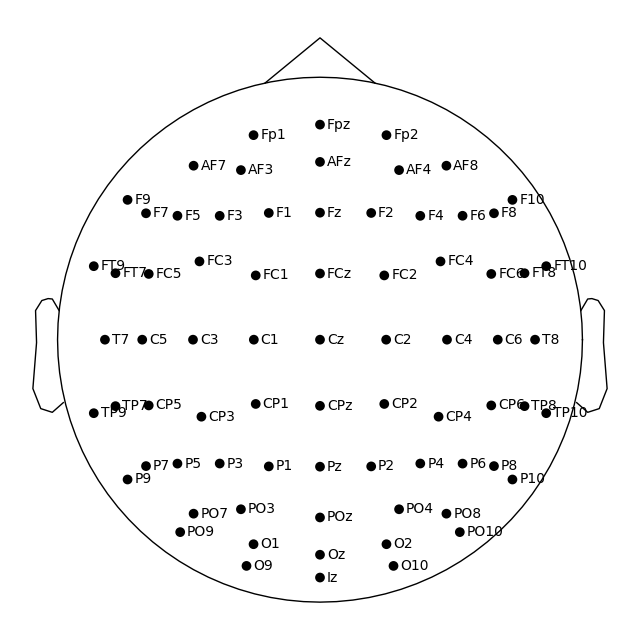
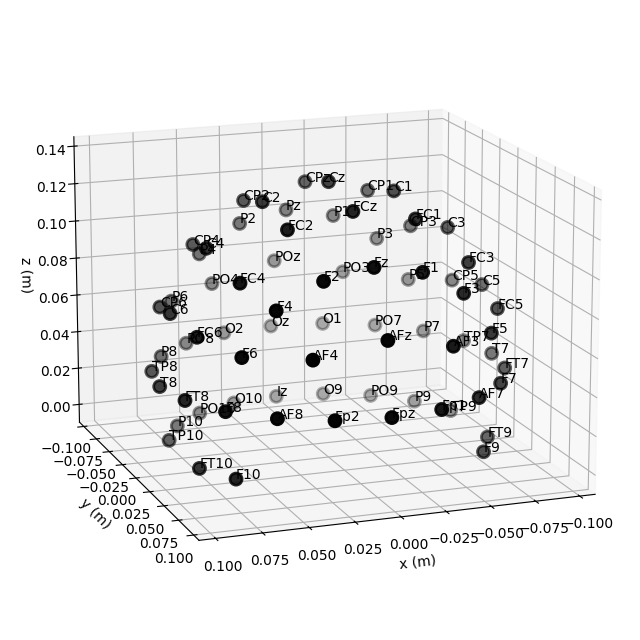
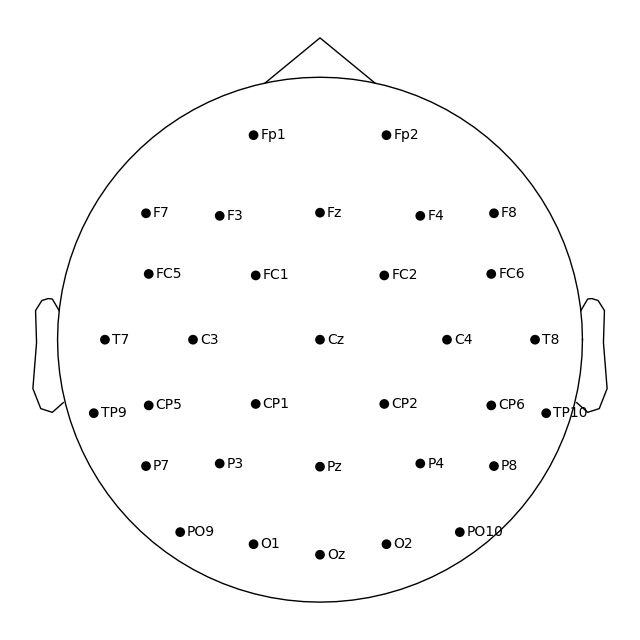
加载后,可使用 set_montage 方法将 Montage 应用于数据,例如 raw.set_montage()、epochs.set_montage() 或 evoked.set_montage()。这仅适用于 EEG 通道名称与 Montage 中名称对应的数据。(因此,下面我们加载一些 EEG 数据,而不是通常的 MNE“sample”数据集。)
随后可通过 plot_sensors() 方法可视化传感器位置。
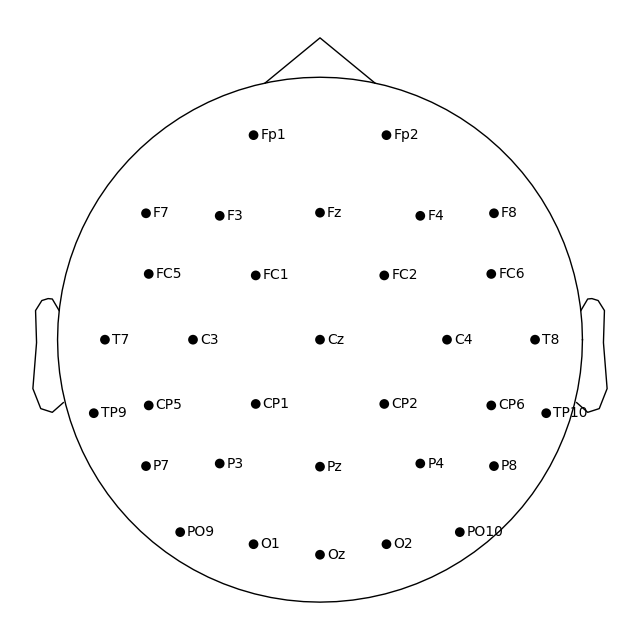
也可以跳过手动加载 Montage 的步骤,直接将 Montage 名称传递给 set_montage() 方法。
ssvep_folder = mne.datasets.ssvep.data_path()
ssvep_data_raw_path = (
    ssvep_folder / "sub-02" / "ses-01" / "eeg" / "sub-02_ses-01_task-ssvep_eeg.vhdr"
)
ssvep_raw = mne.io.read_raw_brainvision(ssvep_data_raw_path, verbose=False)

# Use the preloaded montage
ssvep_raw.set_montage(easycap_montage)
fig = ssvep_raw.plot_sensors(show_names=True)

# Apply a template montage directly, without preloading
ssvep_raw.set_montage("easycap-M1")
fig = ssvep_raw.plot_sensors(show_names=True)
说明
您可能已经注意到,通过 plot_sensors() 创建的图中传感器数量比 easycap_montage.plot() 的结果少。这是因为该 Montage 包含该 EEG 系统定义的所有通道;但并非所有记录都会使用全部可能的通道。因此,将 Montage 应用于实际 EEG 数据集时,数据中实际不存在的传感器信息会被移除。
像 EEGLAB 一样绘制二维传感器位置#
在 MNE-Python 中,默认使用基准点(fiducial points)计算头部中心。这意味着头部圆圈表示鼻根和耳水平处的头围,而不是 10–20 EEG 系统中通常测量的位置(即鼻根上方、T4/T8、T3/T7、Oz 和 Fpz 处)。
如果您希望使用 10–20 约定(EEGLAB 也采用该约定)绘制头部圆圈,可以传入 sphere='eeglab':
fig = ssvep_raw.plot_sensors(show_names=True, sphere="eeglab")
Approximating Fpz location by mirroring Oz along the X and Y axes.
由于此处使用的数据不包含 Fpz 通道,其假定位置是自动近似得到的。
手动控制二维通道投影#
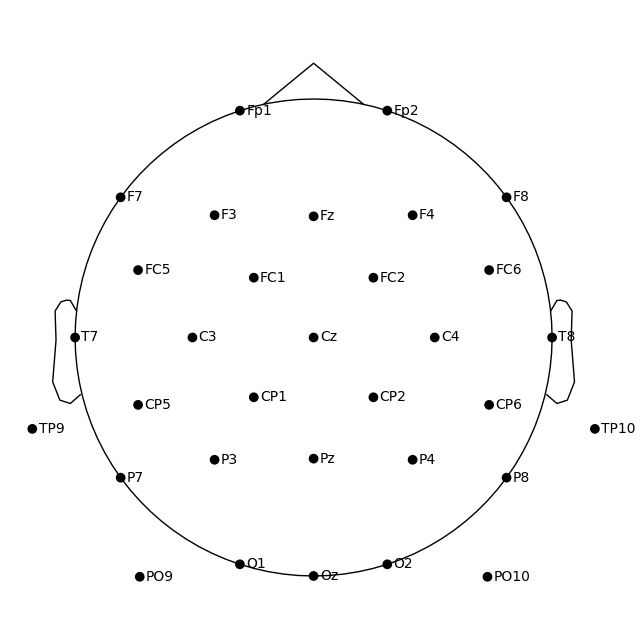
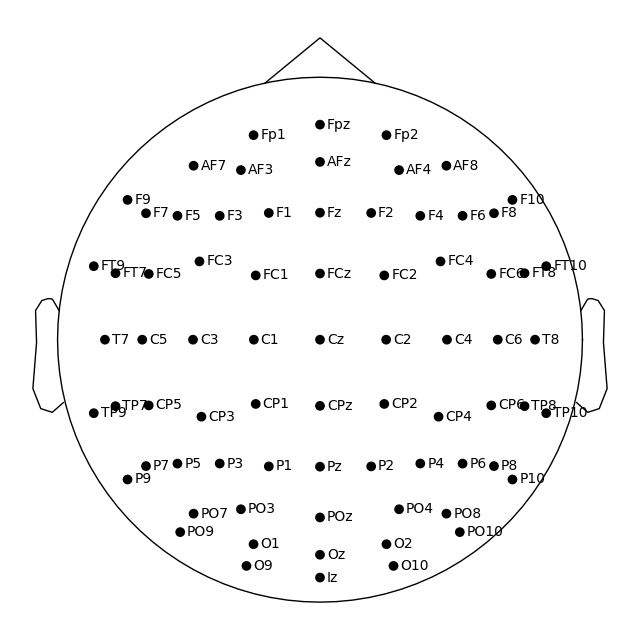
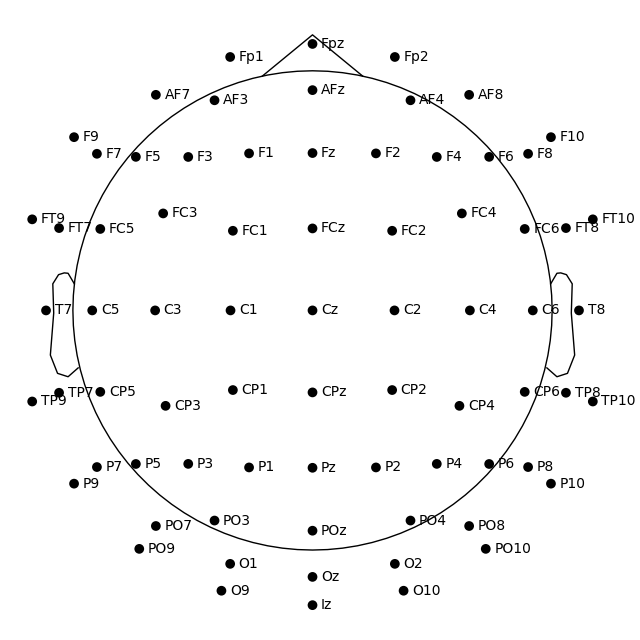
二维空间中的通道位置是通过将实际三维位置投影到球面,再将球面投影到平面得到的。默认使用原点位于 (0, 0, 0)(x、y、z 坐标)、半径为 0.095 米(9.5 厘米)的球体。在任何以二维方式绘制通道的函数中(例如这里使用的 plot,以及 mne.viz.plot_topomap),都可以通过向 sphere 参数传入单个值来使用不同的球半径:
fig1 = easycap_montage.plot()  # default radius of 0.095
fig2 = easycap_montage.plot(sphere=0.07)
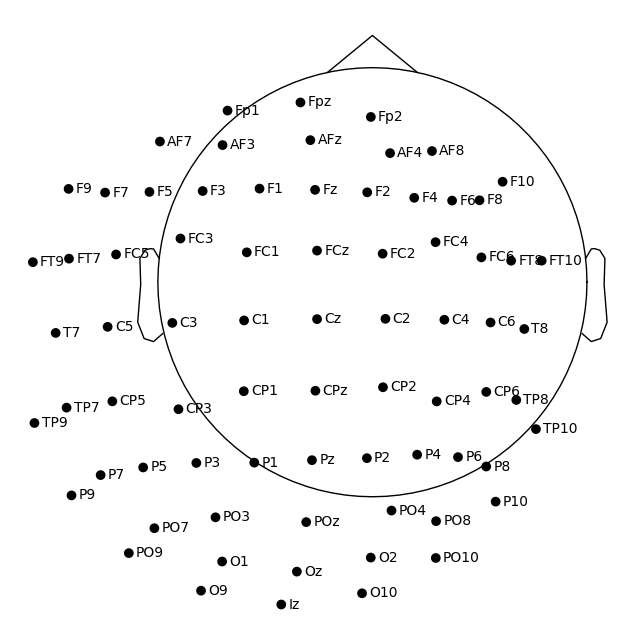
若要同时更改半径和球心,可将 (x, y, z, radius) 元组作为 sphere 参数传入:
fig = easycap_montage.plot(sphere=(0.03, 0.02, 0.01, 0.075))
读取传感器数字化文件#
在示例数据中,传感器位置已存在于 Raw 对象的 info 属性中(有关其工作原理的详细信息,请参阅读取函数和 set_montage() 的文档)。因此,我们可以直接使用 plot_sensors() 从 Raw 对象绘制传感器位置,其功能与 montage.plot() 类似。此外,plot_sensors() 支持按类型选择通道、以多种方式对通道进行颜色编码(默认情况下,raw.info['bads'] 中列出的通道将以红色绘制),以及在现有的 Matplotlib Axes 对象中绘制(因此可以轻松地将通道位置作为多面板图中的子图添加):
sample_data_folder = mne.datasets.sample.data_path()
sample_data_raw_path = sample_data_folder / "MEG" / "sample" / "sample_audvis_raw.fif"
sample_raw = mne.io.read_raw_fif(sample_data_raw_path, preload=False, verbose=False)

fig = plt.figure()
ax2d = fig.add_subplot(121)
ax3d = fig.add_subplot(122, projection="3d")
sample_raw.plot_sensors(ch_type="eeg", axes=ax2d)
sample_raw.plot_sensors(ch_type="eeg", axes=ax3d, kind="3d")
ax3d.view_init(azim=70, elev=15)
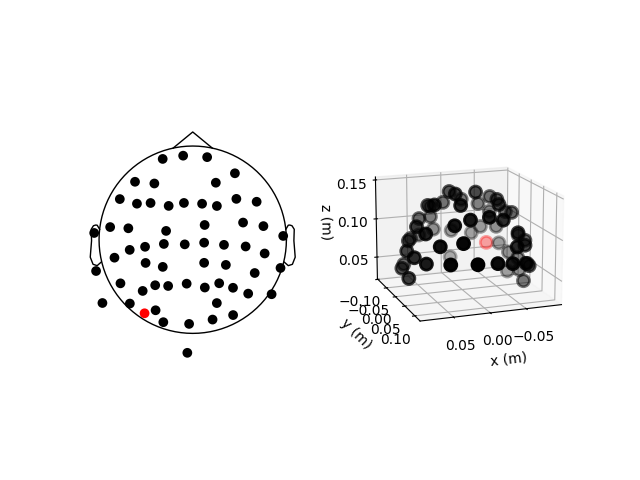
前面的二维地形图揭示了示例数据集中 EEG 传感器位置的不规则性——这是因为该数据集中的传感器位置是对头部实际传感器位置的数字化结果,而非基于球头模型的理想化传感器位置。根据数字化设备的不同(例如 Polhemus Fastrak 数字化仪),需要使用不同的 Montage 读取函数(参见数字化三维位置支持的格式)。随后,可将得到的 Montage 作为参数传递给 set_montage() 方法添加到 Raw 对象中(就像之前使用预定义的 'spherical_1020' Montage 名称那样)。加载后,可使用 plot() 方法绘制位置,并使用 Montage 对象的 save() 方法保存。
说明
使用 set_montage() 设置 Montage 时,测量信息会在两个位置更新(chs 和 dig 条目都会更新)——更多细节请参阅 Info 数据结构。请注意,除电极位置外,dig 还可能包含 HPI、基准点或头形点。
在三维表面渲染中可视化传感器#
也可以使用三维表面渲染(而非 Matplotlib)来渲染 MEG 传感器头盔的图像。这可通过调用 mne.viz.plot_alignment() 实现:
fig = mne.viz.plot_alignment(
    sample_raw.info,
    dig=False,
    eeg=False,
    surfaces=[],
    meg=["helmet", "sensors"],
    coord_frame="meg",
)
mne.viz.set_3d_view(fig, azimuth=50, elevation=90, distance=0.5)
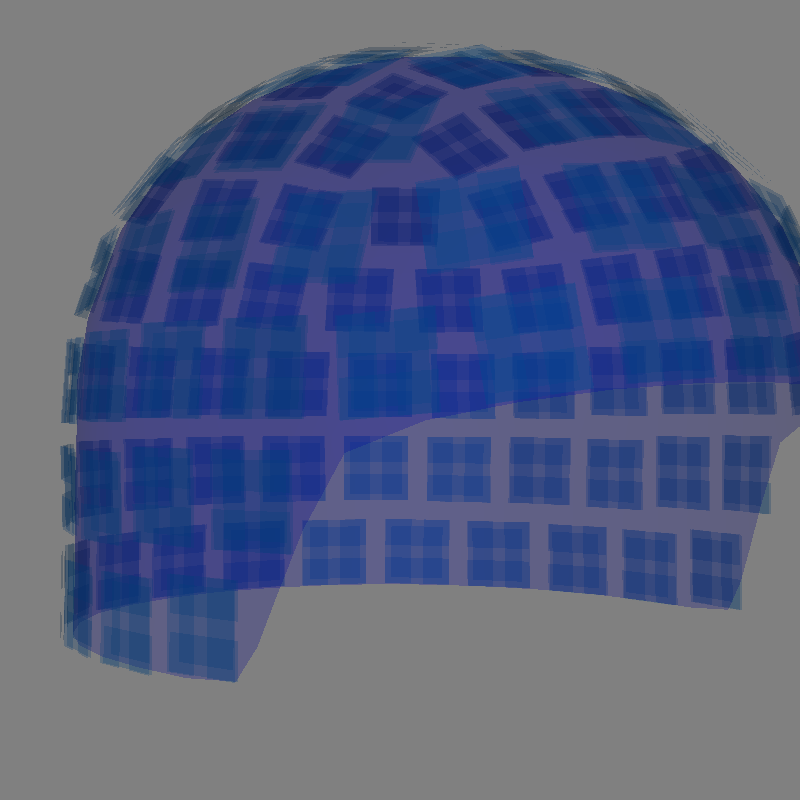
Getting helmet for system 306m
Channel types:: grad: 203, mag: 102
请注意,plot_alignment() 需要 Info 对象,还可以渲染头皮、颅骨和大脑的 MRI 表面(方法是向 surfaces 参数传入包含 'head'、'outer_skull' 或 'brain' 等键的字典)。这使得该函数可用于评估坐标框架变换。有关 plot_alignment() 各种用法示例,请参阅绘制 EEG 系统的传感器布局、在头皮上绘制 EEG 传感器以及绘制 MEG 系统的传感器布局。
使用 Layout 文件#
与 Montage 类似,MNE-Python 附带了许多 Layout 文件。它们存储在 mne/channels/data/layouts 文件夹中:
layout_dir = Path(mne.__file__).parent / "channels" / "data" / "layouts"
layouts = sorted(path.name for path in layout_dir.iterdir())
print("\nBUILT-IN LAYOUTS\n================")
print("\n".join(layouts))
BUILT-IN LAYOUTS
================
CTF-275.lout
CTF151.lay
CTF275.lay
EEG1005.lay
EGI256.lout
GeodesicHeadWeb-130.lout
GeodesicHeadWeb-280.lout
KIT-125.lout
KIT-157.lout
KIT-160.lay
KIT-AD.lout
KIT-AS-2008.lout
KIT-UMD-3.lout
Neuromag_122.lout
Vectorview-all.lout
Vectorview-grad.lout
Vectorview-grad_norm.lout
Vectorview-mag.lout
biosemi.lay
magnesWH3600.lout
要加载 Layout 文件,请使用 mne.channels.read_layout 函数。随后可使用其 plot 方法可视化该 Layout:
biosemi_layout = mne.channels.read_layout("biosemi")
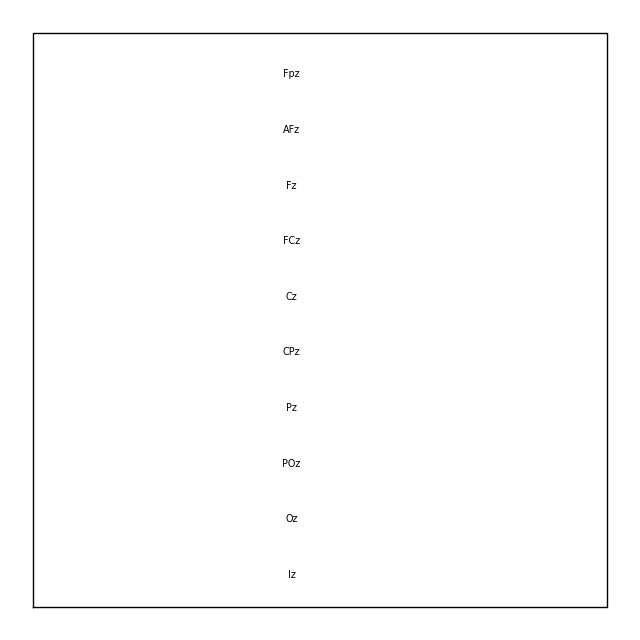
与从 Raw 对象中选择通道的 picks 参数类似,Layout 对象的 plot() 方法也有 picks 参数。然而,由于 Layout 只包含传感器名称和位置信息(不含传感器类型),plot() 方法仅支持按索引选择通道(不支持按名称或类型)。在下面的示例中,我们使用 numpy.where() 找到所需的索引;按名称或类型选择则可以使用 mne.pick_channels() 或 mne.pick_types()。
midline = np.where([name.endswith("z") for name in biosemi_layout.names])[0]
biosemi_layout.plot(picks=midline)
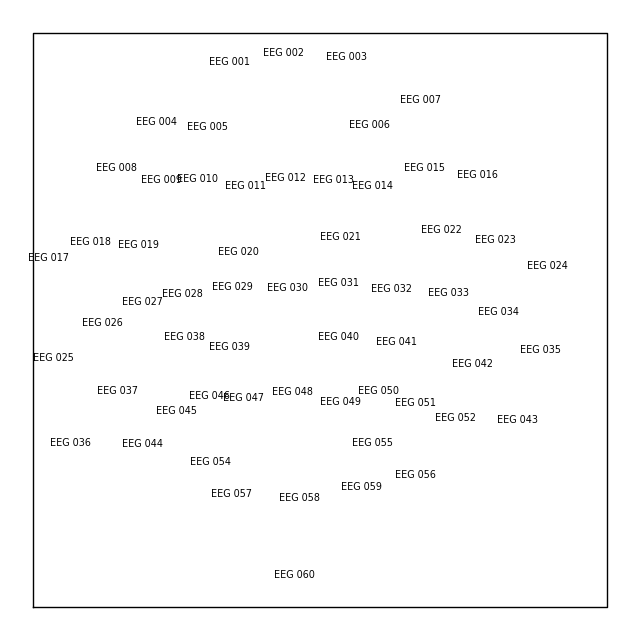
如果您的 Raw 对象包含传感器位置,可以使用 mne.channels.make_eeg_layout() 或 mne.channels.find_layout() 创建 Layout 对象。
layout_from_raw = mne.channels.make_eeg_layout(sample_raw.info)
# same result as mne.channels.find_layout(raw.info, ch_type='eeg')
layout_from_raw.plot()
说明
没有对应的 make_meg_layout() 函数,因为 MEG 系统中的传感器位置是固定的(不同于 EEG,EEG 传感器帽会变形以贴合特定头部)。因此,对于给定系统,MEG Layout 是一致的(固定不变的),您可以直接使用 mne.channels.read_layout() 加载,或使用带 ch_type 参数的 mne.channels.find_layout()(如前面对 EEG 的演示)。
所有 Layout 对象都有一个 save 方法,可将 Layout 以 .lout 或 .lay 格式写入磁盘(根据 fname 参数中的文件扩展名推断)。只有在需要在其他应用程序中加载 Layout 文件时,选择 .lout 还是 .lay 格式才有影响(MNE-Python 可以读取这两种格式)。
脚本总运行时间:(0 分钟 4.958 秒)