
非官方中文翻译
本页译自 MNE-Python 官方文档:
查看英文原文 ↗。
文档版权归 MNE Developers 所有(BSD-3-Clause)。
说明
转到末尾下载完整示例代码。
查找 MEG 参考通道伪迹#
使用 MEG 参考通道的 ICA 分解去除间歇性噪声。
许多 MEG 系统都有用于检测外部磁噪声的参考通道阵列。然而,当噪声是间歇性的时,利用参考通道从标准通道去除噪声的常规技术常常失效。这里介绍的技术(对参考通道做 ICA)往往能在常规方法失败时奏效。
有两种算法可选:separate 与 together(默认)。在 separate 算法中做两次 ICA 分解:一次在参考通道上,一次在参考 + 标准通道上;随后移除与参考通道成分相关的参考 + 标准通道成分。
在 together 算法中,对参考 + 标准通道做一次 ICA 分解,移除在参考通道上权重特别大的成分。
该技术的完整描述与验证见 [1]。
# Authors: Jeff Hanna <jeff.hanna@gmail.com>
#
# License: BSD-3-Clause
# Copyright the MNE-Python contributors.
import numpy as np

import mne
from mne import io
from mne.datasets import refmeg_noise
from mne.preprocessing import ICA

print(__doc__)

data_path = refmeg_noise.data_path()
读取原始数据,截取 5 分钟以节省内存
raw_fname = data_path / "sample_reference_MEG_noise-raw.fif"
raw = io.read_raw_fif(raw_fname).crop(300, 600).load_data()
Opening raw data file /home/circleci/mne_data/MNE-refmeg-noise-data/sample_reference_MEG_noise-raw.fif...
    Range : 0 ... 165353 =      0.000 ...  1653.530 secs
Ready.
Reading 0 ... 30000  =      0.000 ...   300.000 secs...
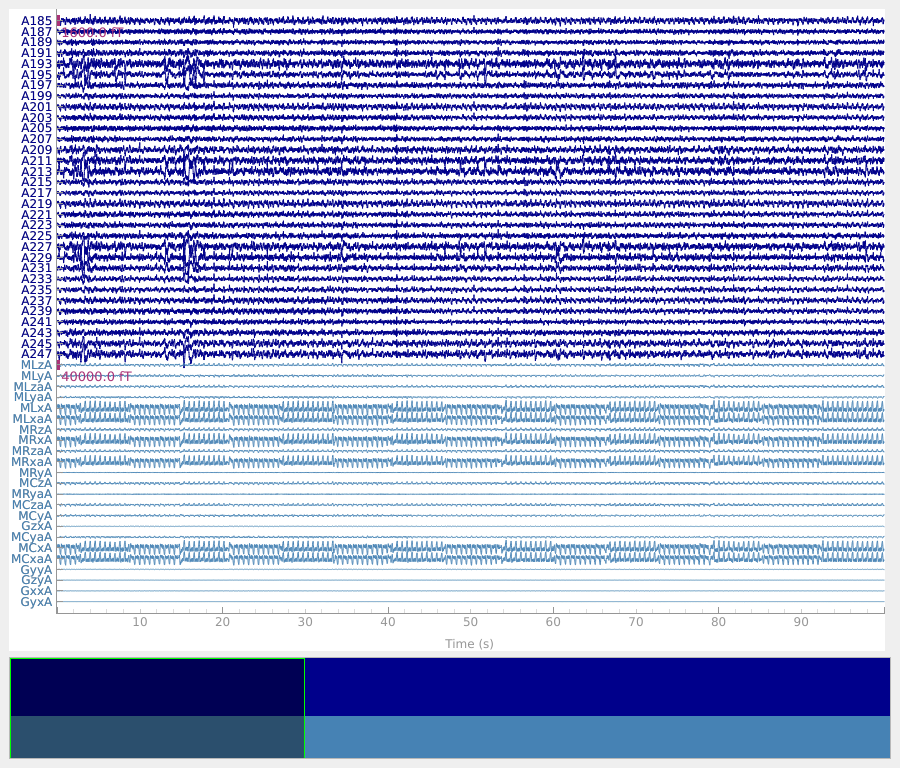
注意,尽管这些数据已做过常规噪声去除,参考通道中的大量噪声(图底部)仍可在标准通道中看到。
select_picks = np.concatenate(
    (
        mne.pick_types(raw.info, meg=True)[-32:],
        mne.pick_types(raw.info, meg=False, ref_meg=True),
    )
)
plot_kwargs = dict(
    duration=100,
    order=select_picks,
    n_channels=len(select_picks),
    scalings={"mag": 8e-13, "ref_meg": 2e-11},
)
raw.plot(**plot_kwargs)
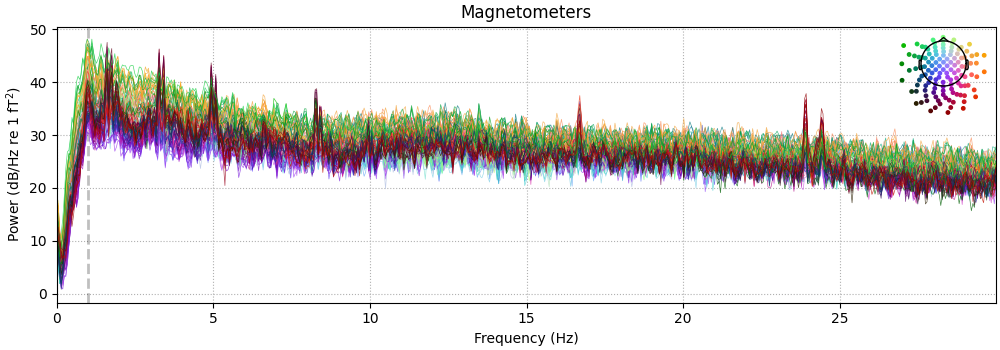
这些数据的 PSD 把噪声显示为明显的峰。
raw.compute_psd(fmax=30).plot(picks="data", exclude="bads", amplitude=False)
Effective window size : 20.480 (s)
Plotting power spectral density (dB=True).
运行 together 算法。
raw_tog = raw.copy()
ica_kwargs = dict(
    method="picard",
    fit_params=dict(tol=1e-4),  # use a high tol here for speed
    rng=99,
)
all_picks = mne.pick_types(raw_tog.info, meg=True, ref_meg=True)
ica_tog = ICA(n_components=60, max_iter="auto", allow_ref_meg=True, **ica_kwargs)
ica_tog.fit(raw_tog, picks=all_picks)
# low threshold (2.0) here because of cropped data, entire recording can use
# a higher threshold (2.5)
bad_comps, scores = ica_tog.find_bads_ref(raw_tog, threshold=2.0)

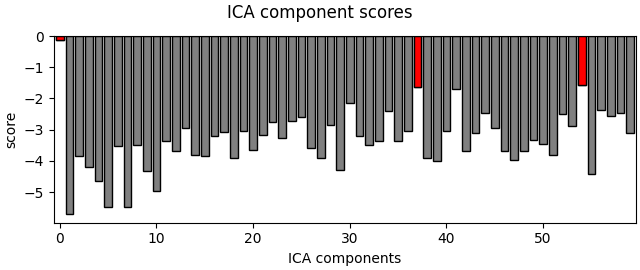
# Plot scores with bad components marked.
ica_tog.plot_scores(scores, bad_comps)

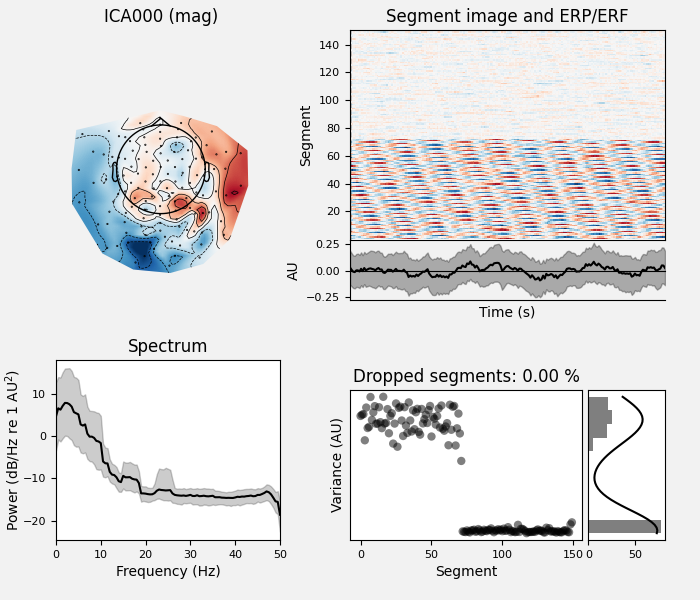
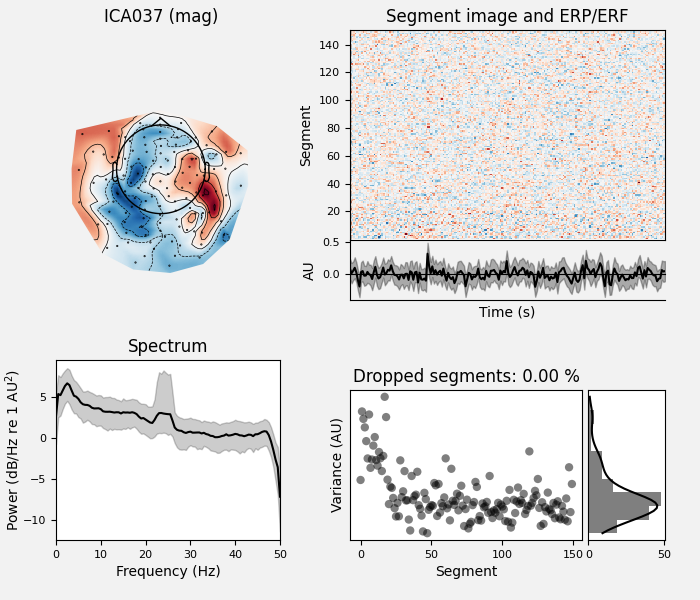
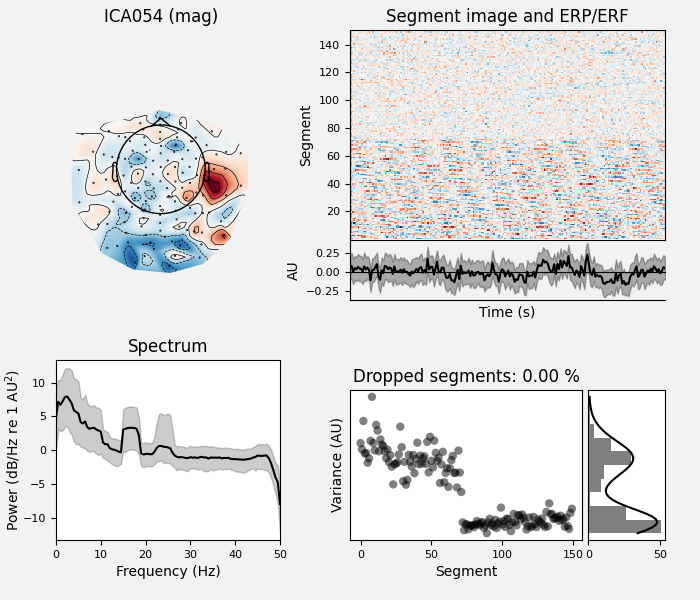
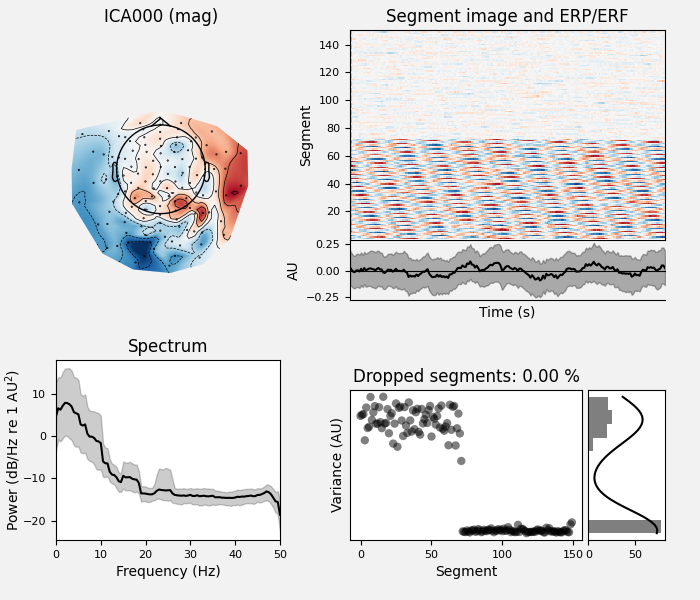
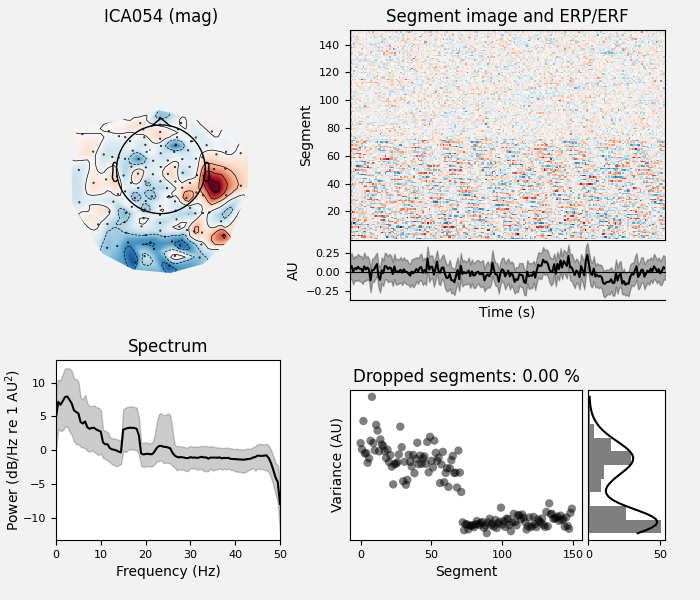
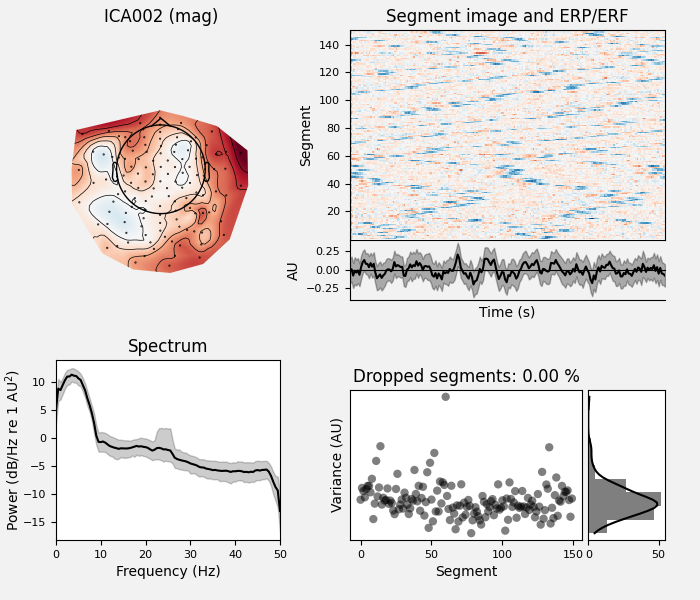
# Examine the properties of removed components. It's clear from the time
# courses and topographies that these components represent external,
# intermittent noise.
ica_tog.plot_properties(raw_tog, picks=bad_comps)

# Remove the components.
raw_tog = ica_tog.apply(raw_tog, exclude=bad_comps)
Fitting ICA to data using 147 channels (please be patient, this may take a while)
Selecting by number: 60 components
Fitting ICA took 1.2s.
    Using multitaper spectrum estimation with 7 DPSS windows
Not setting metadata
150 matching events found
No baseline correction applied
0 projection items activated
Not setting metadata
150 matching events found
No baseline correction applied
0 projection items activated
Not setting metadata
150 matching events found
No baseline correction applied
0 projection items activated
Applying ICA to Raw instance
    Transforming to ICA space (60 components)
    Zeroing out 3 ICA components
    Projecting back using 147 PCA components
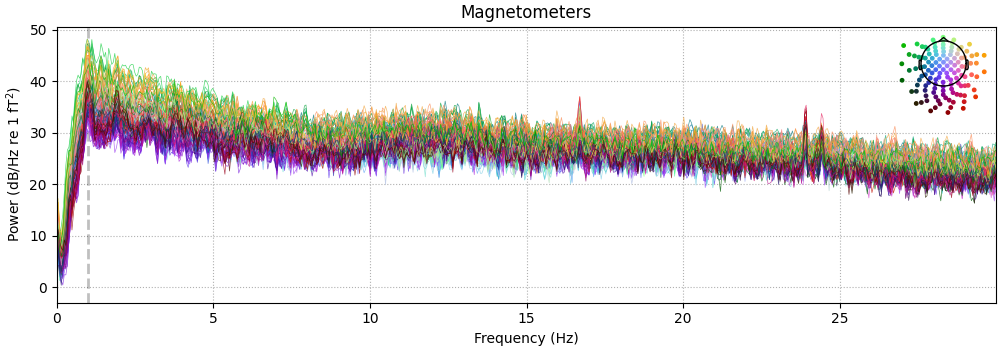
清理后的数据:
raw_tog.compute_psd(fmax=30).plot(picks="data", exclude="bads", amplitude=False)
Effective window size : 20.480 (s)
Plotting power spectral density (dB=True).
再试 separate 算法。
raw_sep = raw.copy()

# Do ICA only on the reference channels.
ref_picks = mne.pick_types(raw_sep.info, meg=False, ref_meg=True)
ica_ref = ICA(n_components=2, max_iter="auto", allow_ref_meg=True, **ica_kwargs)
ica_ref.fit(raw_sep, picks=ref_picks)

# Do ICA on both reference and standard channels. Here, we can just reuse
# ica_tog from the section above.
ica_sep = ica_tog.copy()

# Extract the time courses of these components and add them as channels
# to the raw data. Think of them the same way as EOG/EKG channels, but instead
# of giving info about eye movements/cardiac activity, they give info about
# external magnetic noise.
ref_comps = ica_ref.get_sources(raw_sep)
for c in ref_comps.ch_names:  # they need to have REF_ prefix to be recognised
    ref_comps.rename_channels({c: "REF_" + c})
raw_sep.add_channels([ref_comps])

# Now that we have our noise channels, we run the separate algorithm.
bad_comps, scores = ica_sep.find_bads_ref(raw_sep, method="separate")

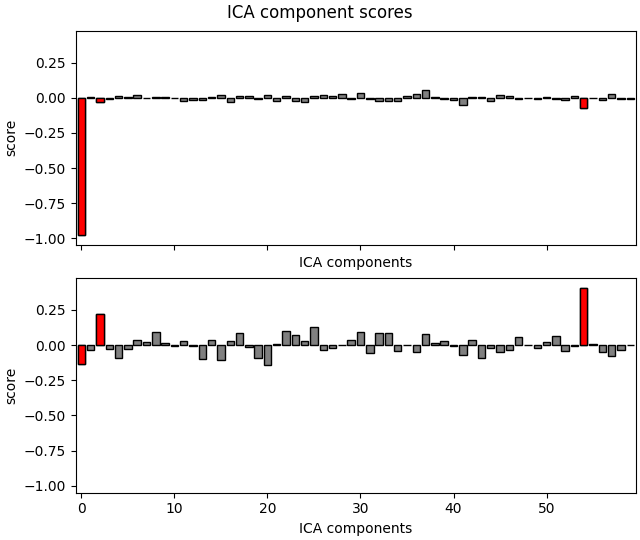
# Plot scores with bad components marked.
ica_sep.plot_scores(scores, bad_comps)

# Examine the properties of removed components.
ica_sep.plot_properties(raw_sep, picks=bad_comps)

# Remove the components.
raw_sep = ica_sep.apply(raw_sep, exclude=bad_comps)
Fitting ICA to data using 23 channels (please be patient, this may take a while)
Selecting by number: 2 components
Fitting ICA took 0.1s.
    Using multitaper spectrum estimation with 7 DPSS windows
Not setting metadata
150 matching events found
No baseline correction applied
0 projection items activated
Not setting metadata
150 matching events found
No baseline correction applied
0 projection items activated
Not setting metadata
150 matching events found
No baseline correction applied
0 projection items activated
Applying ICA to Raw instance
    Transforming to ICA space (60 components)
    Zeroing out 3 ICA components
    Projecting back using 147 PCA components
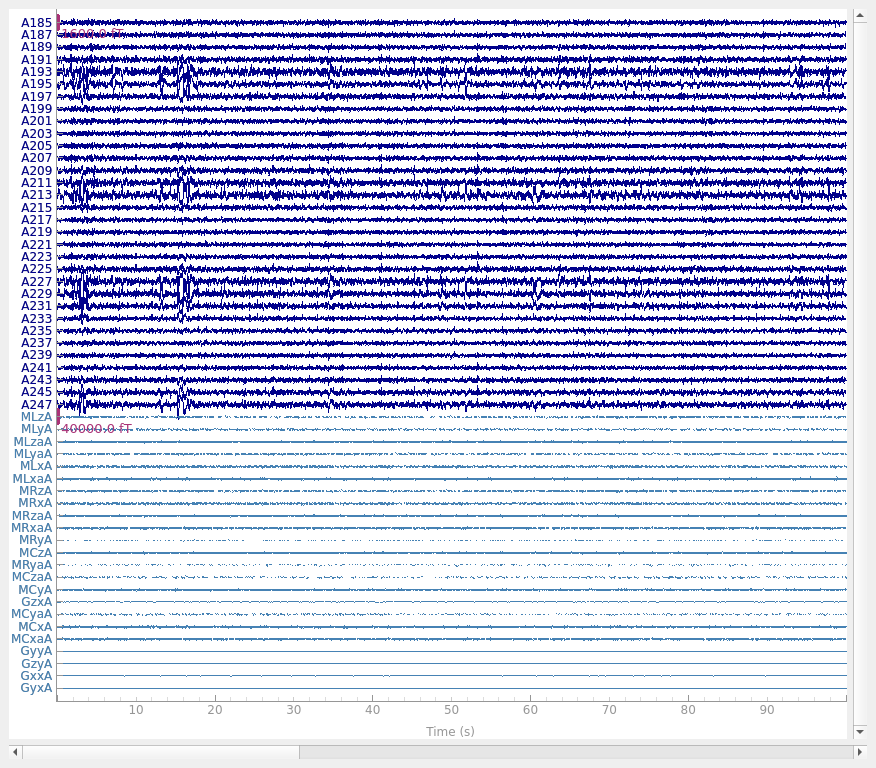
清理后的原始数据波形:
清理后原始数据的 PSD:
raw_sep.compute_psd(fmax=30).plot(picks="data", exclude="bads", amplitude=False)
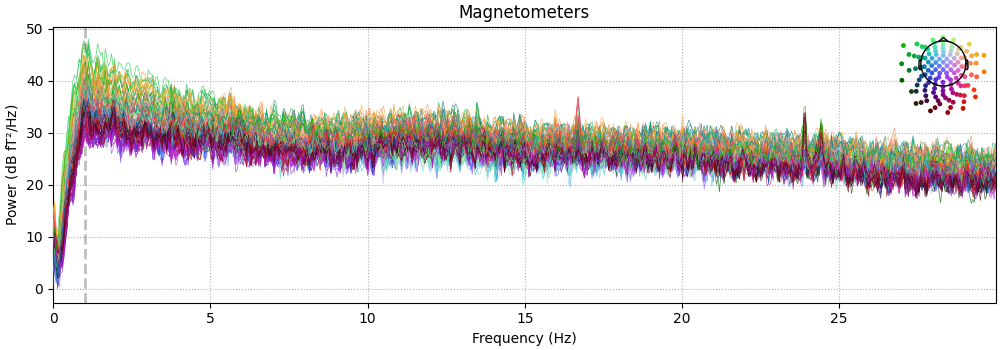
Effective window size : 20.480 (s)
Plotting power spectral density (dB=True).
参考文献#
脚本总运行时间:(0 分 8.077 秒)