
非官方中文翻译
本页译自 MNE-Python 官方文档:
查看英文原文 ↗。
文档版权归 MNE Developers 所有(BSD-3-Clause)。
说明
转到末尾下载完整示例代码。
读取 BCI2000 文件#
本示例使用 MNE-Python 读取 BCI2000 的 .dat 文件。BCI2000 是一种通用脑机接口(BCI)系统,在 EEG 研究中应用广泛。示例数据通过 pooch 从 MNE 测试数据仓库下载。
# Authors: The MNE-Python contributors.
# License: BSD-3-Clause
# Copyright the MNE-Python contributors.

import pooch

import mne
首先,使用 pooch 下载示例 BCI2000 .dat 文件。
data_dir = mne.datasets.default_path() / "bci2k_data"
data_dir.mkdir(exist_ok=True)

fname = pooch.retrieve(
    url="https://raw.githubusercontent.com/mne-tools/mne-testing-data/master/BCI2k/bci2k_test.dat",
    known_hash="sha256:8efc7b5f700660a044086cb1449806ca408c2e6d32d9338c32e1bf31ce3ca9cb",
    path=data_dir,
)
Using default location ~/mne_data...
现在可以用 mne.io.read_raw_bci2k() 读取该文件。注意 BCI2000 文件必须设置 preload=True。
raw = mne.io.read_raw_bci2k(fname, preload=True)
print(raw.info)
<Info | 7 non-empty values
 bads: []
 ch_names: EEG1, EEG2, STI 014
 chs: 2 EEG, 1 Stimulus
 custom_ref_applied: False
 highpass: 0.0 Hz
 lowpass: 128.0 Hz
 meas_date: unspecified
 nchan: 3
 projs: []
 sfreq: 256.0 Hz
>
我们可以查看对象的表示、通道名称、类型、采样频率与记录时长。
print(raw)
print(f"Channel names : {raw.ch_names}")
print(f"Channel types : {raw.get_channel_types()}")
print(f"Sampling freq : {raw.info['sfreq']} Hz")
print(f"Duration      : {raw.times[-1]:.2f} s")
print(f"n_channels    : {raw.info['nchan']}")
print(f"Data shape    : {raw.get_data().shape}  (n_channels, n_samples)")
<RawBCI2k | e5d7337a8476d2c2629d5156efe5788c-bci2k_test.dat, 3 x 9248 (36.1 s), ~223 KiB, data loaded>
Channel names : ['EEG1', 'EEG2', 'STI 014']
Channel types : ['eeg', 'eeg', 'stim']
Sampling freq : 256.0 Hz
Duration      : 36.12 s
n_channels    : 3
Data shape    : (3, 9248)  (n_channels, n_samples)
如果 BCI2000 文件包含 StimulusCode 状态,它会被自动映射到 STI 014 刺激通道。我们可以用 mne.find_events() 从中提取事件。
if "STI 014" in raw.ch_names:
    events = mne.find_events(raw, shortest_event=1)
    print(f"Found {len(events)} events")
    print(mne.count_events(events))
else:
    print("No stim channel found in this file.")
Finding events on: STI 014
Found 0 events
{}
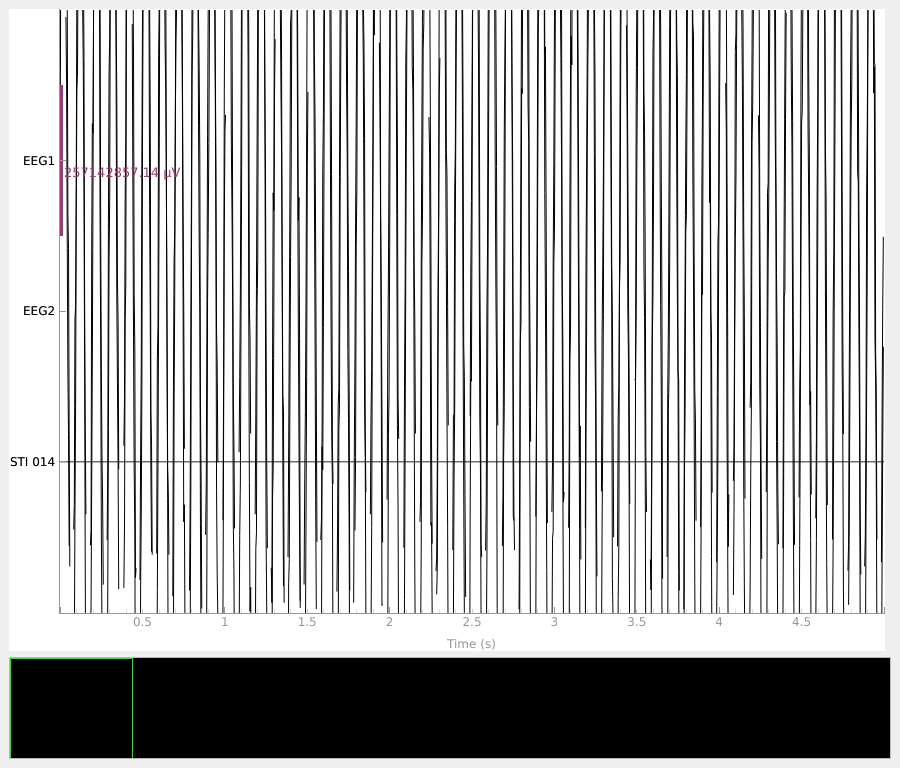
最后,我们可以可视化原始数据。
raw.plot(duration=5, n_channels=len(raw.ch_names), scalings="auto")
Using qt as 2D backend.